


Codex Voice Mode: Voice Input for OpenAI Codex CLI
Spokenly is a voice dictation app for macOS, Windows, Linux, and iOS. Press a shortcut, speak, and text appears at the cursor in any app. It also connects to Codex CLI via MCP, so the agent can ask you questions and get voice answers directly.
Updated August 2026
Download Spokenly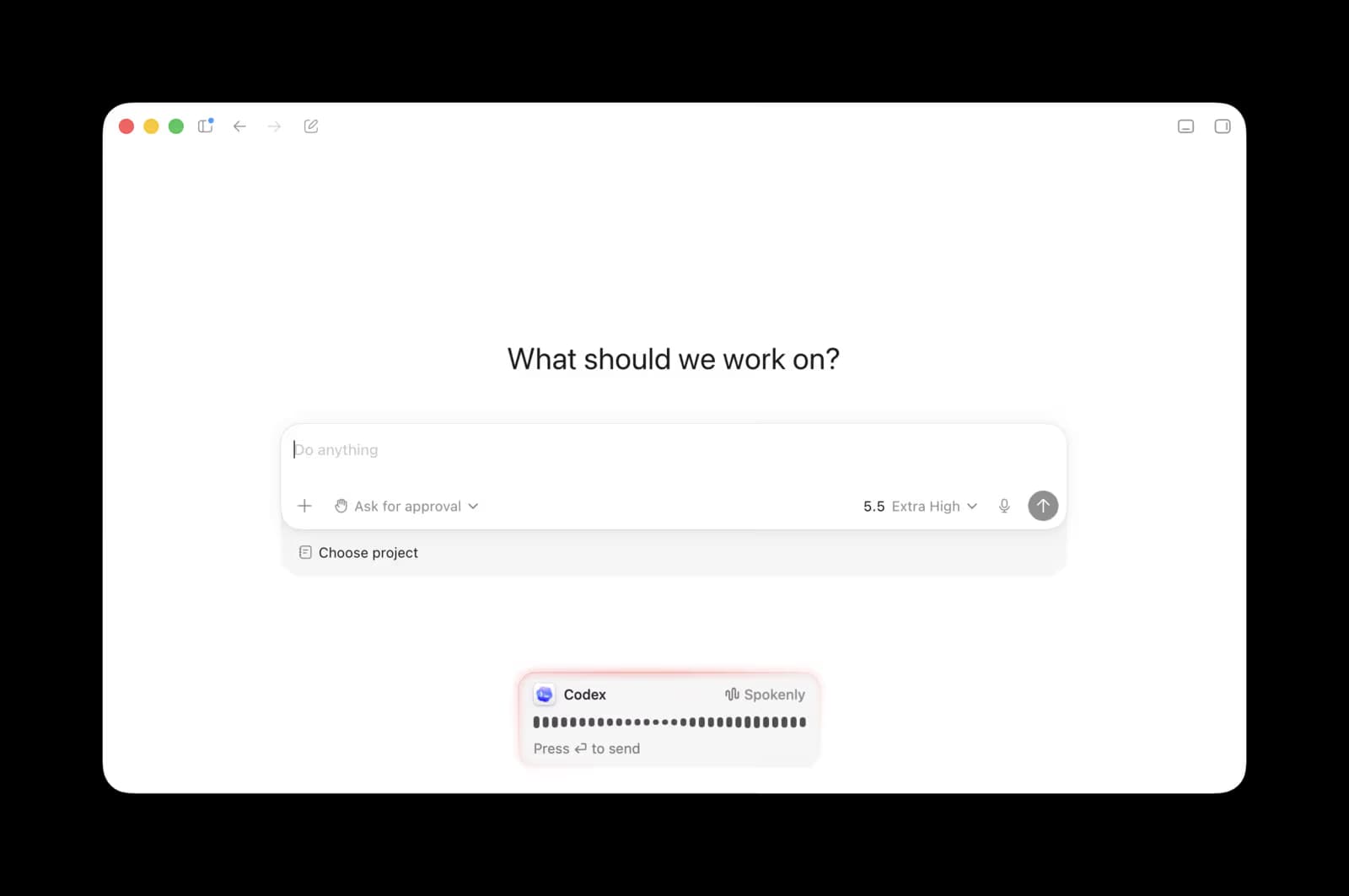
Codex Voice Mode: What Is Built In (2026)
Codex voice mode lives in the ChatGPT desktop app, not in the terminal. Since July 23, 2026,ChatGPT Voiceworks inside Work and Codex on macOS and Windows: open a new chat or task, choose Start new voice chat, and talk to the agent in real time. You can interrupt it mid-answer, send it off to start a task, check progress on running threads, and on a Mac say "Take a look at this" to share your frontmost window. It needs a Plus, Pro, Business, Edu, or Enterprise plan, allows one active voice chat at a time, and draws on a separate plan-dependent allowance measured in rolling five-hour windows. On iPhone it works through Remote after pairing with a desktop host.
A chat or task that did not start in voice mode gets plain dictation instead: press the dictation button in the composer, speak, and the transcript lands as prompt text before you send it.
The Codex CLI has no voice mode. Hold-spacebar dictation shipped as an experiment in 0.105 in February 2026 and wasremoved in 0.118on March 31, 2026; the experimental /realtime controls left the TUI in 0.140 in June. In a terminal, voice input has to come from outside Codex. Spokenly covers both halves: press a shortcut and dictate into the Codex prompt in any terminal, and let the agent ask you questions by voice through MCP. The same shortcut dictates in every other app on Mac, Windows, Linux, and iPhone.
How It Works
Spokenly runs a local MCP server at localhost:51089. Register it with one command and Codex gains a voice dictation tool. Instead of printing a question and waiting for you to type, the agent calls the tool directly.
You see the agent's question in Spokenly's overlay, speak your answer, and press Enter. The transcribed text goes straight back to Codex. There's no context switch. You stay focused on the problem instead of dropping into a text editor to type a reply.
Codex uses HTTP MCP transport, connecting directly to Spokenly's local server. No bridge scripts, no special configuration beyond the initial setup command.
What You Get
Natural voice responses
Codex asks questions, you answer by speaking. Give detailed architecture decisions, explain business logic, or describe bugs. Voice captures nuance that short typed answers miss.
HTTP MCP connection
Codex connects to Spokenly via HTTP MCP at localhost:51089. No bridge scripts, no wrapper processes. Just a standard URL.
Instant setup
One command to register, one line in AGENTS.md. Under a minute from install to first voice interaction.
Local models available
Switch to local Whisper or Parakeet and your voice never leaves the device. All transcription stays on your Mac. No audio sent to any server.
Quick Setup
Download the sideload version from spokenly.app/download and launch it. On first launch, the app will offer to set up the Codex integration automatically with a single terminal command.
Or set up manually:
- 1
Register the MCP tool
Run in Terminal:
codex mcp add spokenly --url http://localhost:51089 - 2
Add instruction to AGENTS.md
Add this line to
~/.codex/AGENTS.md:ALWAYS ask questions via the ask_user_dictation tool from the spokenly MCP server, never as plain text. - 3
Restart Codex
Codex picks up the voice tool on restart. Test with: "Ask me 3 questions".
See the full setup guide for troubleshooting.
Real Workflow Examples
Task planning: You tell Codex to interview you before writing any code. The agent asks question after question: expected behavior, error states, data formats, dependencies. You answer each one by voice in seconds. The agent builds a complete brief from your answers. Ten minutes of talking instead of an hour of writing.
Refactoring: Codex asks "Should I extract the validation logic into a shared util or keep it inline?" You explain which validators are reused, where the edge cases differ, and why one module should stay self-contained. A quick voice answer beats a terse "extract it".
Long context: Codex asks "How should the sync process handle conflicts between local and remote data?" Instead of typing a few words and moving on, you spend 30 seconds explaining the merge strategy, priority rules, and what the user should see. The agent gets the full picture.
Spokenly vs Codex Built-in Voice
| Feature | Spokenly | Codex built-in voice |
|---|---|---|
| Manual dictation | Yes, keyboard shortcut in any app | Desktop app composer only, not in the CLI |
| Agent-initiated Q&A | Yes, agent calls voice tool via MCP | Real-time voice chat in the desktop app, not in the CLI |
| Works outside Codex | Yes, any app on your Mac | No |
| Local/offline models | Yes (Whisper, Parakeet) | No |
| Modes with AI Instructions | Yes | No |
| iOS app | Yes | Through Remote, paired with a desktop |
| Price | Free (local + own API keys) | Paid ChatGPT plan for voice chat |
You can use both together: ChatGPT Voice in the desktop app, Spokenly for the CLI, agent-initiated questions, and dictation everywhere else.
Frequently Asked Questions
How do I add voice input to Codex CLI?
Download Spokenly from spokenly.app/download, then run: codex mcp add spokenly --url http://localhost:51089. Add a voice instruction to ~/.codex/AGENTS.md and restart Codex.
Is Spokenly free to use with Codex?
Yes. The MCP server and local speech-to-text models (Whisper, Parakeet) are free. Cloud models are available via Pro plan or with your own API keys. No subscription required for local models.
Does Codex have MCP timeout issues like Claude Code?
No. Codex uses HTTP MCP, which keeps the connection open reliably. There's no timeout limit on voice sessions.
Can I use Spokenly with Codex and Claude Code at the same time?
Yes. Spokenly's MCP server handles one recording session at a time, but you can have it registered with multiple tools. When one agent calls the dictation tool, you respond, and the result goes back to the correct agent.
What transcription models does Spokenly support?
Local: Whisper and Parakeet on Apple Silicon. Cloud: GPT-4o Transcribe, Deepgram Nova, Groq Whisper via Pro plan or your own API keys. You choose per-session.
Does my voice data stay private?
With local models, all speech processing happens on your Mac. Audio never leaves your device. With cloud models, audio reaches the chosen provider: directly with BYOK, or proxied through Spokenly's backend with Pro. Nothing is stored on our servers.
Does the Codex CLI have a voice mode?
Not in the terminal. Codex CLI's experimental spacebar dictation was removed in version 0.118 in March 2026. Voice lives in the ChatGPT desktop app: real-time ChatGPT Voice in Work and Codex since July 2026, plus composer dictation. For the CLI, Spokenly adds dictation into the prompt and lets Codex ask you questions by voice through MCP.
Voice Input for Other Tools
Talk to Codex
Set up in under a minute. Free with local speech-to-text models.
Download Spokenly