

Snaply Review: Free, Private Mac Dictation, Tested
A close look at Snaply, the free on-device dictation app for Mac, its features, languages, privacy, and limits, plus when Spokenly is the better fit if you need Windows, iPhone, or 100+ languages.
Verdict at a Glance
Snaply is a free, on-device dictation app for Mac that bundles instant voice typing, a writing assistant, and automatic meeting notes. The privacy story is real (audio stays on the machine, no account needed) and the price is hard to argue with. The catch is reach: it runs on macOS only, covers English and European languages, and is still new enough to have a thin public track record.
Better fit for cross-platform users: Spokenly is also free with local Parakeet and Whisper models, adds Windows and an iPhone keyboard, transcribes 100+ languages, lets you bring your own API keys, and ships an MCP server for AI coding agents. Same private, local core, wider reach.
What works
- Free for individuals, no account or sign-up required
- On-device processing, audio and text stay on your Mac
- Works offline with no internet connection needed
- Automatic meeting notes for Zoom, Google Meet, Teams, and Webex
What does not
- macOS only, no Windows, iPhone, or Android version
- English plus about 25 European languages, no Asian language coverage
- New app with a short public track record
- No bring-your-own-key transcription and no choice of speech model
What Is Snaply
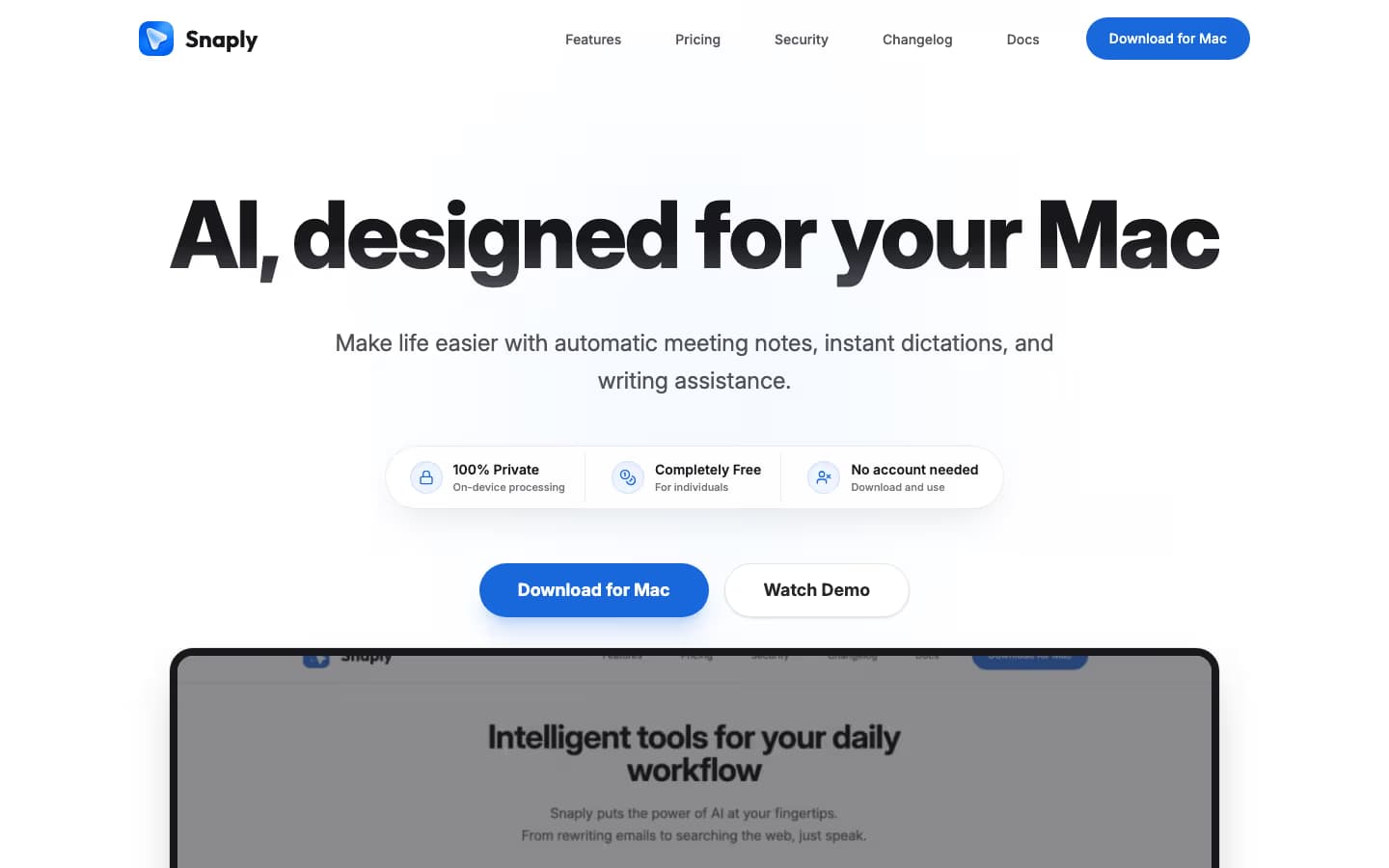
Snaply is a Mac dictation app that turns speech into text in any application, then layers on a writing assistant and automatic meeting notes. The pitch on its homepage is direct: AI designed for your Mac, completely free, 100% private, and usable with no account. It markets itself as a free, private alternative to subscription tools like Wispr Flow.
The core loop is the familiar one. Press a shortcut, talk, and Snaply types the result into the active field, whether that is Gmail, Slack, Notion, or a code editor. Around that, it adds tone and grammar rewriting, plus a meeting recorder that produces summaries and action items. Optional Search and Ask AI features can call out to ChatGPT, Claude, or Perplexity when you want answers rather than transcription.
Spokenly targets the same job to be done, system-wide dictation with optional AI cleanup, and overlaps heavily with Snaply on the free and private angle. The difference shows up at the edges of the product: which devices it runs on, how many languages it handles, and how far the AI integrations go. The rest of this review walks those edges.
Is Snaply Really Free
Yes. Snaply states it is 100% free for individuals, forever, with access to its features and AI models at no cost, and no account or sign-up to get started. There is no per-word weekly cap of the kind Wispr Flow puts on its free tier, and no trial countdown. For a tool you reach for dozens of times a day, removing the meter matters.
What free costs you here is reach rather than money. The free plan is Mac only and capped at English and European languages, so the price is right only if your devices and languages fit inside that box.
Spokenly is also completely free with local models and bring-your-own-key cloud transcription, with no caps on either. If you later want managed cloud transcription and hosted AI without juggling API keys, Spokenly Pro is $9.99/mo or $99.99/year, with a 50% student discount. The free path covers most people, and the paid path exists only when you want someone else to run the cloud side for you.
Models and Accuracy
Snaply runs speech recognition on-device, which is what lets it work offline and keep audio on your Mac. The trade-off of a fixed on-device pipeline is that you do not choose the model or swap in a cloud provider tuned for a specific accent or vocabulary. For everyday English dictation in email and chat, on-device recognition on Apple Silicon is fast and accurate enough that most users will not notice a gap.
Where a single fixed engine shows its limits is on heavy jargon, proper nouns, or noisy audio, where a cloud model like Deepgram Nova or GPT-4o Transcribe can pull ahead. A custom vocabulary helps Snaply learn names and acronyms, but it cannot fully substitute for choosing a stronger model when accuracy is critical.
Spokenly takes the opposite stance on choice. It defaults to modern cloud models for top accuracy, offers local Parakeet V3, Parakeet V2, Whisper Large V3 Turbo, and Apple Speech for offline work, and lets you pick the right engine per task. If on-device privacy is the priority you can pin it to local, and if a deadline needs the most accurate transcript you can switch to cloud, all in the same app.
Key Features
Snaply bundles three workflows rather than just dictation, which is part of why it feels more complete than a single-purpose voice typer.
- System-wide dictation that types into any app, with 30+ named integrations including Slack, Gmail, and Notion
- Writing assistant that fixes grammar, adjusts tone, and rewrites selected text in place
- Automatic meeting notes for Zoom, Google Meet, Teams, and Webex, with summaries and action items
- Custom vocabulary so names, acronyms, and snippets are recognized every time
- Language translation for turning dictated text into another supported language
- Optional Search and Ask AI through ChatGPT, Claude, or Perplexity
The writing assistant and meeting notes are the standouts and cover real daily needs. Spokenly matches the dictation and AI-cleanup side with modes using AI Instructions (GPT-4, Claude, Gemini, Grok, or local Ollama), word replacements with optional regex, and a custom dictionary, and it adds meeting recording on Mac with system audio and microphone. Saved meetings can be transcribed with local or cloud models and exported as TXT, SRT, VTT, or Markdown.
Platforms and Languages
This is the section that decides Snaply for most people. The app is macOS only. Snaply says it is focused on the Mac experience and currently ships for Mac alone, so there is no Windows app, no iPhone or iPad app, and no Android. If your week touches more than one operating system, Snaply covers only part of it.
On languages, Snaply supports English and over 25 European languages, including Spanish, German, Italian, French, and Greek. That is plenty for a lot of users, but it leaves out Asian languages entirely, so Japanese, Mandarin, Korean, Hindi, and Arabic dictation are not on the menu.
Spokenly is built for the multi-device case. It runs on macOS, Windows, Linux, and iOS, with a Chrome extension, so the same dictation habit follows you from desk to phone. On iPhone it ships a system-wide custom keyboard that works inside any app. And it transcribes 100+ languages, including Asian languages through models like Qwen3-ASR.
| Dimension | Snaply | Spokenly |
|---|---|---|
| Platforms | macOS only | macOS, Windows, Linux, iOS, Chrome extension |
| Languages | English + ~25 European | 100+ including Asian languages |
| Price | Free for individuals | Free with local models and BYOK, Pro $9.99/mo |
| Local models | On-device, fixed engine | Parakeet V3/V2, Whisper, Apple Speech, choose per task |
| Transcription providers | Built in | BYOK to OpenAI, Deepgram, Groq, plus managed Pro |
| Meeting recording | Yes, with summaries | System audio + microphone on Mac, transcription after saving |
| Coding agents | No | MCP server for Claude Code, Cursor, Codex |
| macOS automation | No | Agent Mode launches apps and runs Shortcuts by voice |
| Mobile dictation | No | iOS system-wide custom keyboard |
Privacy and Offline Use
Privacy is Snaply's strongest pitch and it holds up. Processing happens on-device, your voice recordings and text never leave your Mac, and you can use the app with no account. Because recognition is local, dictation also works with no internet connection, on a plane or anywhere offline.
The one thing to keep in mind is the optional cloud layer. Search and Ask AI features call ChatGPT, Claude, or Perplexity, so those specific actions do send data to a third party when you choose to use them. Core dictation and meeting notes stay local.
Spokenly offers the same on-device privacy and adds Local Only Mode, which blocks outbound network requests at the app level while still allowing localhost. That gives you a hard switch for sensitive or regulated work, so you can guarantee nothing leaves the machine even by accident.
Five Biggest Limitations
1. Mac only
No Windows, iPhone, iPad, or Android, so it cannot be your single tool across devices.
2. European language ceiling
English plus about 25 European languages, with no Asian language support.
3. No model or provider choice
The on-device engine is fixed, so you cannot swap to a cloud model for tough audio or bring your own API key.
4. No coding-agent or automation hooks
There is no MCP server for Claude Code or Cursor and no voice-controlled macOS automation.
5. Short track record
Snaply is new, so there is limited independent review history and long-term reliability data.
None of these are dealbreakers if you are a Mac-only English or European-language user. They become dealbreakers the moment you pick up a Windows laptop, an iPhone, a non-European language, or a coding agent you want to drive by voice.
Snaply Alternatives

Best alternative
Spokenly
The closest match to Snaply on the free, local, and private core, with wider reach. Spokenly runs on macOS, Windows, Linux, and iPhone, transcribes 100+ languages, lets you choose local Parakeet and Whisper or bring your own cloud API keys at zero markup, and adds an MCP server, modes with AI Instructions, and Agent Mode for voice-driven macOS automation. If Snaply's Mac-only limit is the problem, this is the direct upgrade.
Download Spokenly freeSuperwhisper
Mac and Windows power-user favorite. Whisper Tiny through Large V3 Turbo, Parakeet V2 and V3, plus cloud BYOK. A $249.99 lifetime license is the no-subscription option.
See the comparisonMacWhisper
Best for file transcription of podcasts and meetings. EUR 59 lifetime, Mac only, drag-and-drop with speaker diarization.
See the comparisonWispr Flow
Cross-platform including Windows and Android, with polished AI cleanup. Cloud-only and the priciest at $15/mo, so it trades Snaply's privacy and free price for reach.
See the comparisonWho Should Use It
Choose Snaply if
- You work only on a Mac
- You write in English or a European language
- You want a free tool with no account or subscription
- On-device privacy and offline use are priorities
- You want meeting notes and a writing assistant in one app
Skip Snaply if
- You also dictate on Windows or iPhone
- You need one of 100+ languages, including Asian languages
- You want to choose your model or bring your own API key
- You drive AI coding agents and want voice input over MCP
- You want voice-controlled macOS automation beyond dictation
FAQ
Is Snaply free?
Yes. Snaply is 100% free for individuals, with no account or sign-up required, and it works offline because processing happens on your Mac. There is no per-word cap and no trial timer. Spokenly is also free with on-device Parakeet and Whisper models or your own API keys, and adds a Pro tier ($9.99/mo) for managed cloud transcription if you want it.
Is Snaply available for Windows?
No. Snaply is Mac only. Its own site states the app is currently available for Mac, with no Windows build. If you dictate on Windows 10 or 11, Spokenly ships a generally available Windows app with the same system-wide dictation workflow, so you are not forced onto a different tool per device.
Does Snaply work on iPhone or iPad?
No. Snaply is a macOS desktop app and has no iOS or iPadOS version. For voice typing on iPhone, Spokenly has an iOS app with a system-wide custom keyboard that works in any app once you allow full access.
How many languages does Snaply support?
Snaply supports English and over 25 European languages, including Spanish, German, Italian, French, and Greek. There is no Asian language coverage listed. Spokenly transcribes 100+ languages, including Asian languages through models like Qwen3-ASR, which matters if you dictate in Japanese, Mandarin, Korean, Hindi, or Arabic.
Is Snaply private and does it work offline?
Yes. Snaply processes audio on-device, so your voice and text stay on your Mac, and it runs without an internet connection. Optional cloud features (Search and Ask AI via ChatGPT, Claude, or Perplexity) reach out to those providers only when you use them. Spokenly offers the same privacy posture through Local Only Mode, which blocks outbound network requests while still allowing localhost.
Snaply vs Spokenly, which is better?
Snaply is a clean choice if you only use a Mac, write in English or a European language, and want a free, on-device tool. Spokenly fits if you also need Windows or iPhone, dictate in one of 100+ languages, want to pick your transcription model or bring your own API keys, or use voice with AI coding agents through its MCP server. They share the free, local, private core, so the deciding factor is usually platform and language reach.
Ready to try Spokenly?
Free to use with local models. No account required.
Download SpokenlyRead next
Spokenly publishes this review and refreshes it when Snaply changes. Details listed were accurate at publication.