
Verdict at a Glance
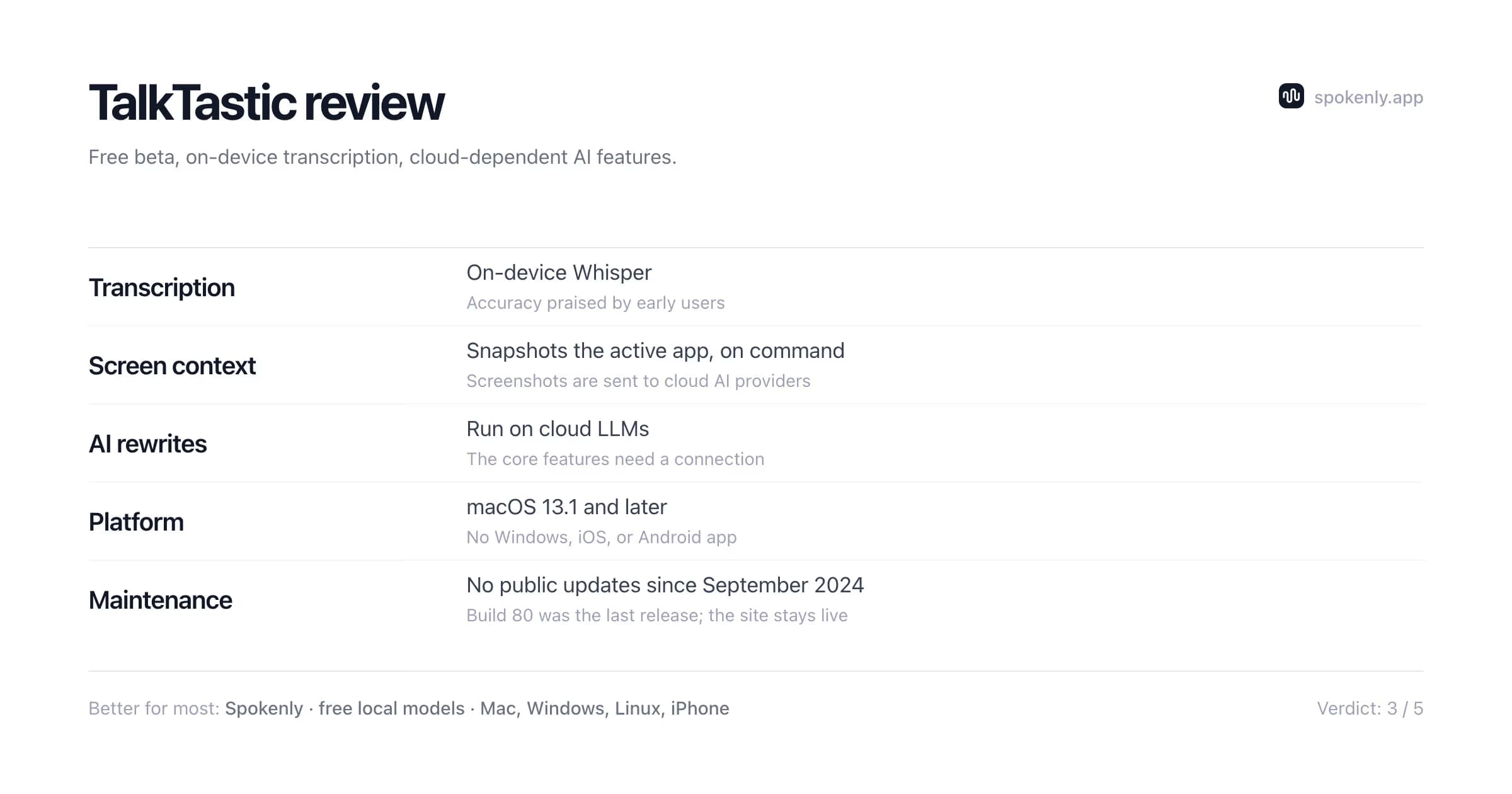
TalkTastic is a free, context-aware dictation app for macOS. Its distinctive idea is to snapshot the app you are dictating into, then use cloud AI to rewrite your words in the right tone and format. Transcription runs on-device with Whisper, early users praise the accuracy, and the beta costs nothing. Three things undercut it: public updates stopped in September 2024, the AI features need the cloud, and those app screenshots reach third-party providers.
Better alternative for most users: Spokenly is also free with local models, is actively maintained, and works on Mac, Windows, Linux, and iPhone, with a Local Only Mode that keeps everything on-device. You lose the screen-snapshot feature and keep everything else about the dictation.
What works
- Free while in beta, with no word caps
- Transcription runs on-device with Whisper
- Screen-snapshot context makes rewrites match the app and conversation you are in
- Early users praise accuracy and the quality of rewrites and summaries
What does not
- No public updates since September 2024; the beta looks unmaintained
- AI rewrites and context depend on cloud LLMs, and app screenshots go to third-party providers
- macOS 13.1+ only: no Windows, iPhone, or Android app
- No editable transcripts and no text-editing commands
What Is TalkTastic
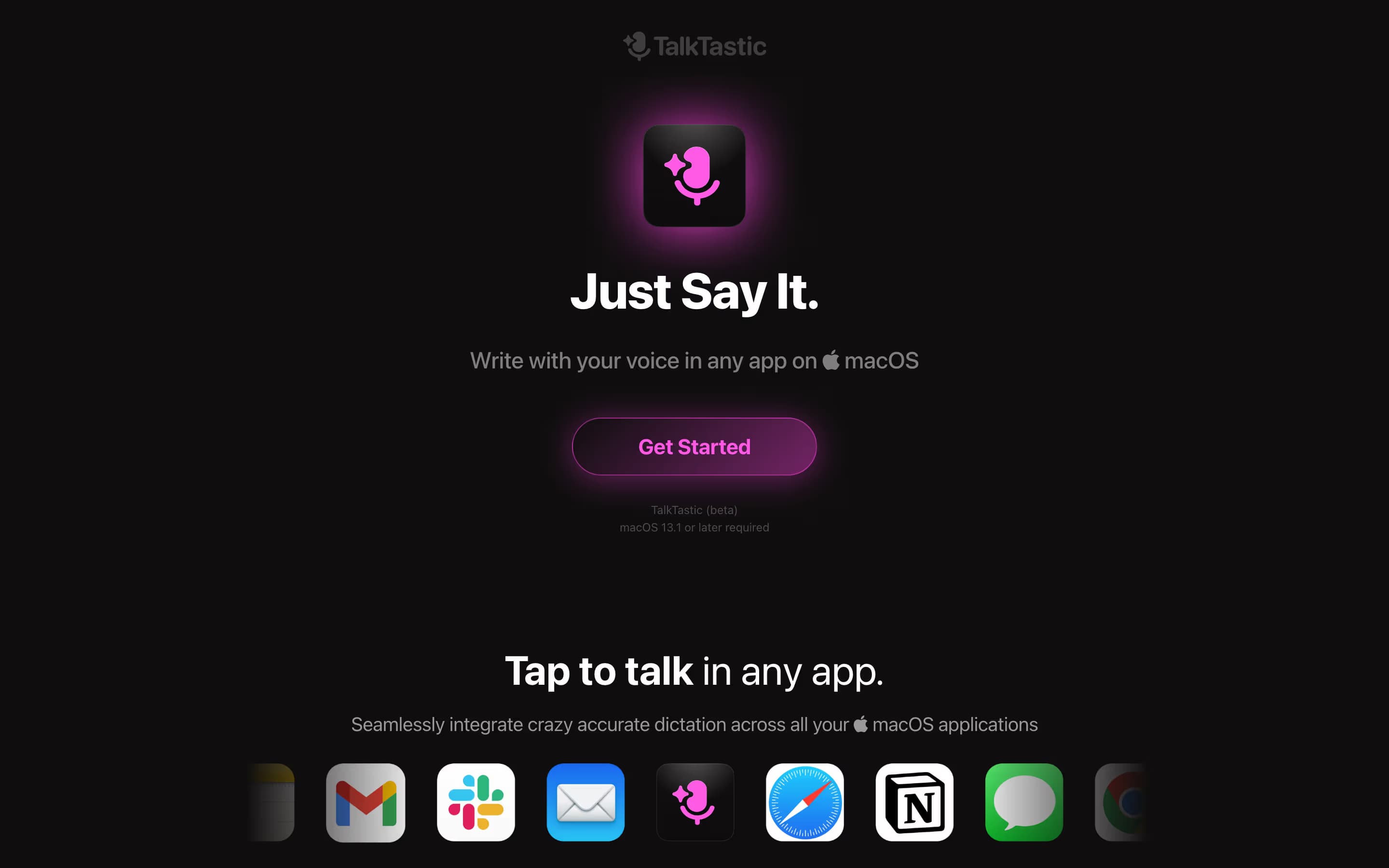
TalkTastic is a voice keyboard for macOS from Matt Mireles, who pivoted his startup OASIS into the product. It launched on Product Hunt in July 2024, finished #5 product of the day, and holds a 4.9/5 rating there from 26 reviews.
The pitch is context. Tap to talk in any app, and TalkTastic combines on-device Whisper transcription with cloud models (its site names ChatGPT, Claude, and Gemini) that read a snapshot of the app you are writing in. The result reads like a Slack reply in a Slack thread and like an email in a draft, and it spells on-screen names correctly. That patent-pending snapshot engine is TalkTastic's real differentiator, and also the source of its privacy trade-offs.
Pricing in 2026
TalkTastic is free. The official FAQ states it is 100% free to use while in beta, with macOS 13.1 or later as the only requirement, and no word caps are stated anywhere on the site. The download is email-gated. You submit an address at talktastic.com and receive a link for the Mac app.
Two caveats. First, the site's own code contains a stubbed $15/mo plan ($12.50/mo billed annually) with placeholder text, so a paid tier is planned even though nothing is charged today. Second, several software directories list a $29 one-time license or a 2,000-word monthly free cap; neither figure appears on the official site, so treat them as stale or wrong.
For comparison: Spokenly is free with local models (Pro is $9.99/mo), Superwhisper is $8.49/mo or $249.99 lifetime, and Wispr Flow is $15/mo. A free beta undercuts all of them, as long as you accept that its terms can change and the free tier's future is undefined.
Engine and Screen Context
The engine splits the work in two. Speech-to-text runs on-device with Whisper, so raw transcription does not need a server. The rewriting layer runs in the cloud, and the release notes reference Claude 3.5 for both rewrites and multimodal context understanding.
The context mechanism is what separates it from a plain dictation app. When you trigger a note inside another app, TalkTastic snapshots that app and sends the image to a multimodal model. The model infers the tone and substance of the conversation, then lifts names and easily confused words straight from the screen.
TalkTastic markets its transcription as more accurate than ChatGPT and OpenAI Whisper, which is the company's own claim rather than an independent benchmark. Accuracy is also the most consistent praise in user reviews, so the transcription layer appears solid. One dependency matters most. Without an internet connection, the rewrites and context features that define the product stop working.
Key Features
Smart Rewrites
Turns raw speech into text written in your style for the app you are in, using the screen snapshot as context. This is the headline feature and it depends on cloud LLMs.
AI Transcripts
On-device Whisper transcription with automatic cleanup. Users report it handles unclear speech well, though there is no way to edit the raw transcript before the AI processes it.
Tap to talk in any app
A system-wide shortcut starts dictation in whatever text field has focus, the same interaction model as Spokenly, Superwhisper, and Wispr Flow.
Fine-grained privacy controls
Listening and snapshots start only when you trigger them. The controls genuinely limit when data is captured, but not where it is processed.
Platforms and Requirements
- macOS 13.1 (Ventura) or later. That is the only supported platform.
- Direct download from talktastic.com, email-gated. Not on the Mac App Store.
- No Windows, iOS, iPadOS, or Android app, and none announced.
- Supported language count is not stated on the official site.
If you dictate on more than one device, this is the practical dealbreaker. Spokenly runs on Mac, Windows, Linux, and iPhone; Wispr Flow covers Mac, Windows, iPhone, and Android; Superwhisper covers Mac, Windows, and iPhone. TalkTastic covers one.
Privacy and Data Handling
TalkTastic's on-command model is more restrained than always-on assistants: it listens when you say so and snapshots only when you trigger a note. The caveats sit in the privacy policy, which lists screenshots of applications on your device among collected data, shared with cloud providers and processed by third-party AI models. It also notes the company is still working on end-to-end encryption, the protection that would keep data unreadable in transit and storage.
In practice, whatever is visible in the app you dictate into (names, message history, client data) can end up in a screenshot sent to a third-party cloud provider. That is inherent to the design rather than sloppiness: a cloud model has to see the screen to use it as context. The trade may be fine for personal writing, while most confidentiality policies would rule it out for regulated work. Spokenly's Local Only Mode takes the opposite approach, blocking all outbound network traffic so audio and text never leave the machine, at the cost of cloud-grade rewrites.
Is TalkTastic Still Maintained?
This is the question that decides whether to invest time in the app. The public release notes end at Build 80, dated September 28, 2024, which shipped speed enhancements and macOS 15 fixes. The help center's beta-program article was last updated in October 2024, and the newest AI model referenced in the product's public materials is Claude 3.5, a 2024 model.
The website stays up and the beta remains downloadable, so the app is not dead. But roughly 22 months without a visible release, in a category where Superwhisper, Wispr Flow, and Spokenly ship updates continuously, should worry anyone planning to rely on it. A dictation app touches the OS deeply (microphone, accessibility, screen capture), and each macOS release tends to break something. Adopt an unmaintained one and you inherit those breakages alone, even at $0.
What Users Are Saying
The only substantial public review pool is Product Hunt, where the app holds 4.9/5 across 26 reviews from the July 2024 launch window. There is no Mac App Store rating because the app is not distributed there, and Reddit discussion is sparse.
Top praise points
- Transcription accuracy, including on unclear speech
- Context-aware rewrites and summaries that fit the target app
- Deep macOS integration and low-friction tap-to-talk flow
- Meaningful help for slow typists and users with wrist strain
Top complaint points
- No way to edit or correct the raw transcript before AI processing
- No text-based editing commands after insertion
- Requests for more caution around sensitive voice data
Read the launch reviews as a snapshot of mid-2024 enthusiasm rather than the 2026 state of the product. The praise for accuracy likely still holds; the app around it has simply stopped moving.
TalkTastic Alternatives

Best alternative
Spokenly
Free like TalkTastic, but actively maintained and cross-platform. It runs local Parakeet V3 and Whisper Large V3 Turbo models, takes your own OpenAI, Deepgram, or Groq keys, and supports custom AI prompts for rewrites. An MCP server connects it to AI coding agents, and Local Only Mode handles work that cannot touch the cloud. System-wide dictation on Mac, Windows, Linux, and iPhone.
Download Spokenly freeSuperwhisper
Mac power-user pick with local Whisper and Parakeet models, per-app modes, and a $249.99 lifetime license. Actively developed.
See the comparisonWispr Flow
Cloud-only, $15/mo, cross-platform including Android, with built-in AI cleanup and regular updates.
See the comparisonApple Dictation
Free and built into macOS. No AI rewrites and weaker on jargon, but on-device and zero setup.
See the comparisonWho Should Use It
Choose TalkTastic if
- You want rewrites driven by what is on your screen, TalkTastic's signature feature
- You dictate personal, non-sensitive content on a single Mac
- Free matters more than active support
- You are curious and the email-gated download is not a hurdle
Skip TalkTastic if
- You need an app that will still be updated next macOS release
- Screenshots of your work apps must never reach third-party clouds
- You dictate on Windows, Linux, iPhone, or Android
- You need offline AI processing or editable transcripts
FAQ
Is TalkTastic free?
Yes. TalkTastic's own FAQ states it is 100% free to use while in beta, with no word caps stated anywhere on the official site. The site's code references a planned $15/mo plan ($12.50/mo billed annually) that is not being charged yet. Third-party claims of a $29 one-time license or a 2,000-word monthly cap do not appear on the official site.
Does TalkTastic work offline?
Partially. Transcription runs on-device with Whisper, but the features TalkTastic is built around (AI rewrites and screen-context understanding) run on cloud LLMs. Without a connection you lose the app's main value. Fully offline dictation on a Mac needs a different tool, such as Spokenly in Local Only Mode.
Is TalkTastic safe? Does it record my screen?
TalkTastic takes a snapshot of the app you are dictating into, on command, and sends it to cloud AI providers so rewrites match the conversation on screen. It does not continuously record your screen. Its privacy policy lists screenshots of your device among collected data shared with cloud providers, and states that end-to-end encryption is still being worked on. If the screens you dictate into contain confidential data, that data path is the thing to evaluate first.
Is TalkTastic still being developed?
Public activity stopped in late 2024, with the release notes ending at Build 80 on September 28, 2024. The site and download remain live, but there is no visible development in 2025 or 2026. The maintenance section above walks through the evidence.
Is TalkTastic available for Windows, iPhone, or Android?
No. TalkTastic is macOS only (13.1 or later), distributed as a direct download from talktastic.com rather than the Mac App Store. There is no Windows, iOS, or Android app. If you need cross-platform dictation, Spokenly covers Mac, Windows, Linux, and iPhone, and Wispr Flow covers Mac, Windows, iPhone, and Android.
TalkTastic vs Superwhisper: which is better?
Superwhisper is actively maintained, runs local Whisper and Parakeet models with per-app modes, and offers a $249.99 lifetime license alongside its subscription. TalkTastic is free and its screen-snapshot context is distinctive, but it requires cloud for AI features and has not shipped an update since September 2024. For long-term use, Superwhisper is the safer pick of the two.
TalkTastic vs Wispr Flow: which is better?
Wispr Flow is cloud-only, $15/mo, cross-platform, and under active development. TalkTastic is free, Mac-only, and transcribes on-device while sending app snapshots to the cloud for rewrites. Flow ships updates continuously and covers more platforms; TalkTastic costs nothing to try. Both upload data to cloud AI providers during normal use.
What is the best TalkTastic alternative?
For a free app that is actively maintained, Spokenly is the closest fit: free with local Parakeet and Whisper models, optional BYOK cloud models, system-wide dictation on Mac, Windows, Linux, and iPhone, and a Local Only Mode that blocks all outbound traffic. Superwhisper suits Mac power users who want a lifetime license.