
What Plaud Actually Sells
Plaud makes small AI voice recorders: the card-shaped Plaud Note ($159) that MagSafe-mounts to an iPhone, the newer Note Pro ($189), and the wearable NotePin ($159, or $179 for the NotePin S). The devices capture meetings, calls, and voice notes, and the Plaud app turns recordings into transcripts and AI summaries in 112 languages.
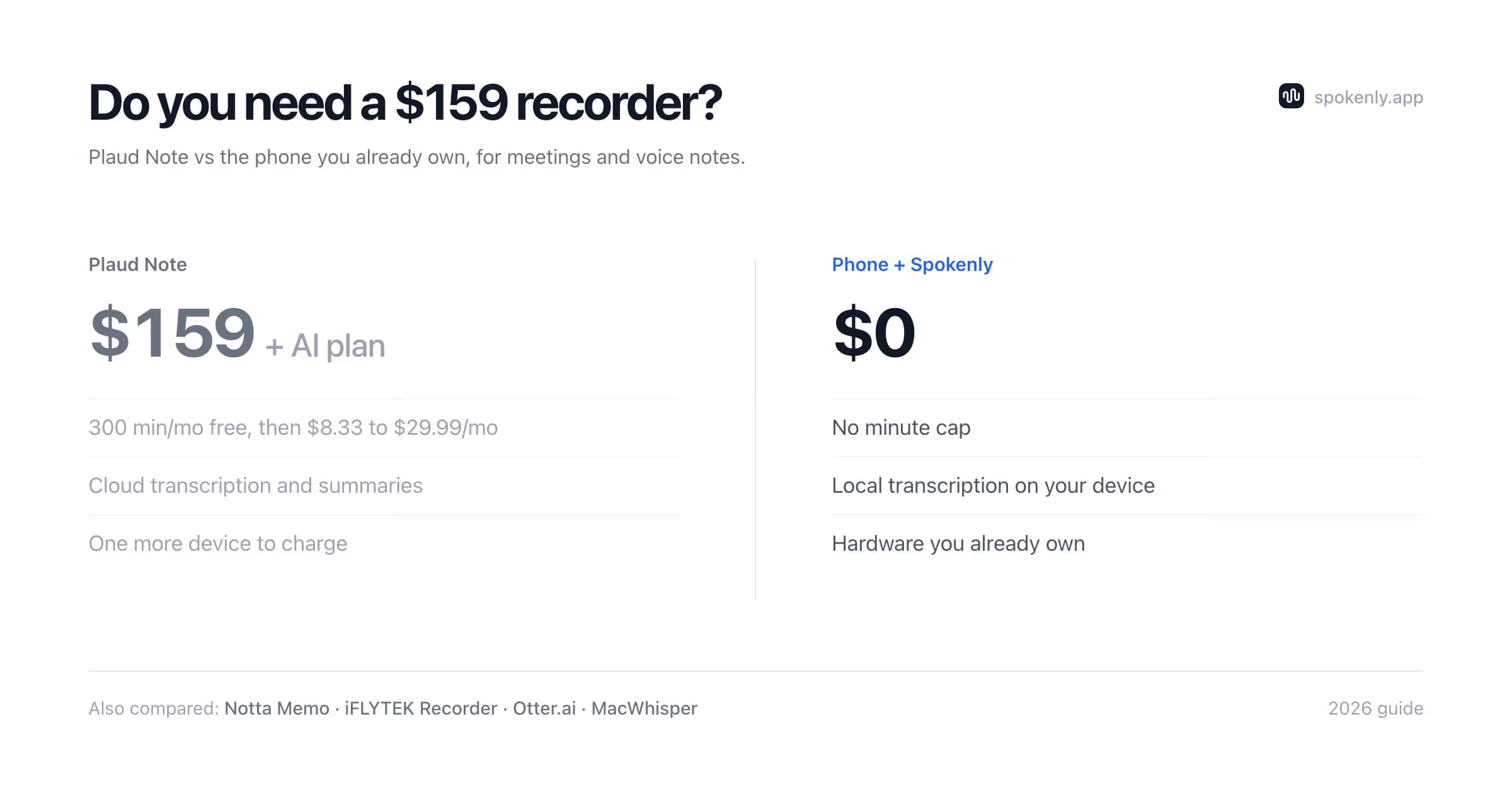
The part that is easy to miss on the product page: transcription is metered. The free Starter tier covers 300 minutes per month. The Pro plan is $17.99 per month ($8.33 per month billed annually) for 1,200 minutes, and Unlimited runs $29.99 per month ($19.99 annually). So a realistic first year of heavy use is the device plus roughly $100 to $240 of subscription on top.
Capture, processing, and storage are different privacy questions. Recordings begin on the device, but Plaud's Trust page says transcription and AI processing send data to cloud infrastructure. With Private Cloud Sync off, Plaud says audio and transcript data are deleted from its cloud after processing and return to the phone. With sync on, encrypted copies remain available across devices. That is not the same data path as fully local transcription, but it is also not permanent cloud storage by default.
This is not a knock on Plaud. It is a description: dedicated capture hardware with a cloud AI service attached. The question is whether your recording volume justifies that combination, because most of what Plaud does in software also exists without the gadget.
Why People Look for an Alternative
Cost stacking
$159 to $189 upfront, then a subscription once you pass 300 monthly minutes. Two or three long meetings a week is enough to get there.
Another device
One more thing to carry, charge, update, and not lose. The phone you already carry has capable microphones.
Cloud processing
Plaud sends data to cloud infrastructure for transcription and summaries. Private Cloud Sync controls persistent storage, not whether AI processing uses the cloud.
Metered minutes
A monthly cap can affect when you choose to transcribe. With unmetered local transcription, that cap is not part of the decision.
Six Criteria That Matter More Than the Device Shape
An AI recorder is a capture system, a transcription service, and a storage workflow. Compare all three. A cheaper device can cost more over time, while a free app can be a poor fit if it misses the call or room audio you need to capture.
Capture situation
Phone calls, online meetings, interviews across a table, lectures, and walking voice notes have different microphone and mounting needs. Start with the hardest situation in your week.
Battery and availability
A dedicated recorder preserves phone battery and can be ready with one button. A phone is already charged and connected, but may be busy with navigation, calls, or another app.
Transcription path
Local models process audio on hardware you control. Cloud systems upload audio or text for processing. Some services separate temporary processing from long-term cloud sync, so check both settings.
Transcript structure
Speaker labels, word timestamps, searchable archives, subtitle export, and summaries are separate features. Do not assume that a product with AI summaries also has accurate diarization or useful file export.
Total cost
Add hardware, accessories, replacement risk, subscription tiers, and extra-minute charges over the time you expect to use the product. Compare that with the computer and phone you already own.
Consent and visibility
A phone call announcement, a recorder light, and a spoken notice are not interchangeable. Choose a workflow that makes it easy to inform people and document consent where required.
Run a small trial before moving sensitive or important work. Record the same five-minute conversation with two workflows, then compare missed names, speaker changes, upload time, edit effort, and export. That test reveals more than a model accuracy number measured on unrelated audio.
5 Alternatives Compared
Phone + Spokenly
Free local workflow
Limits: No local transcription cap
Processing: Local model available
Notta Memo
$149 hardware
Limits: 300 transcription minutes per month
Processing: Record locally, process in Notta app
iFLYTEK Smart Recorder
$127.99 sale price checked July 13, 2026
Limits: Offline transcription in five listed languages
Processing: On-device transcription and USB export
Otter.ai
Free and paid plans
Limits: 300 minutes per month; 30 minutes per conversation and three file imports per account on Basic
Processing: Cloud processing
MacWhisper
Paid Mac app
Limits: No local model minute cap
Processing: Local model available
Plaud Note, for reference
$159 plus optional AI plan
Limits: 300 free minutes, paid tiers above
Processing: Cloud AI processing; sync optional
Phone + Spokenly
The workflow that replaces a Plaud for most buyers takes three steps and zero dollars:
- 1Record with what is built in. Voice Memos handles meetings and voice notes; iOS 18.1 and later can record phone calls in supported regions and announces the recording to both sides.
- 2Drop the recording into Spokenly on Mac, Windows, Linux, or iPhone (Transcribe File), and pick a local model like Parakeet V3 or Whisper Large V3 Turbo.
- 3Get a transcript in minutes, then export TXT, Markdown, SRT, or VTT. AI cleanup and summaries run through your own API key or Spokenly Pro if you want them.
Before recording a call, wearing a recorder around other people, or leaving one in a meeting room, tell every participant and obtain the consent required where you are. Rules differ by country and state, and a visible recorder or status light does not by itself establish consent.
Cost: free, with no local transcription meter. A local model keeps transcription on your device, while optional cloud models use the provider you select. Spokenly is free with local models and your own provider keys; Pro adds managed cloud models. The full recording-to-text workflow is covered in the voice memo to text guide. On Android there is no Spokenly app, but you can record there and transcribe the file later on Mac, Windows, Linux, or iPhone.
The real limitation: your phone is not a wearable, and hours of recording spend the battery you need for everything else. If you need hands-free capture while walking a job site, or your phone must stay free while recording all day, dedicated hardware still has a case.
Notta Memo, iFLYTEK, Otter, and MacWhisper
Notta Memo
Notta Memo is a $149 card-shaped recorder with separate modes for calls and live recording, 32 GB of storage, and a stated 30-hour recording battery. Its included Starter plan provides 300 transcription minutes per month. It is the closest hardware match here, but transcription and AI notes flow through the Notta app rather than staying entirely on the recorder.
iFLYTEK Smart Recorder
The iFLYTEK Smart Recorder is a larger screen-based recorder advertised at $127.99 on July 13, 2026, against a $249 list price. It performs real-time transcription offline in English, Chinese, Japanese, Korean, and Russian, stores recordings on 32 GB, and exports files over USB. It suits offline room capture better than a MagSafe call recorder, but the size, five-language set, and variable sale price are meaningful tradeoffs.
Otter.ai
Otter records or joins meetings from devices you already own and adds speaker labels, live transcription, and summaries. Its Basic plan gives 300 minutes per month, but each conversation or import exposes only 30 minutes and the account gets three file imports in total. Otter processes meetings as a cloud service, but its retention and account controls are its own, not Plaud's. See the Otter pricing guide for plan details.
MacWhisper
MacWhisper is a Mac file-transcription app with local model options and speaker diarization in its paid edition. It is the processing half of the workflow, paired with whatever records your audio. See the Spokenly vs MacWhisper comparison for current pricing and feature differences.
Disclosure: Spokenly and this site have the same owner. The shortlist is organized by workflow, not an accuracy ranking; no shared benchmark was run across these different capture systems.
Choose a Plaud Alternative by Recording Workflow
Occasional voice notes
Use Voice Memos or another built-in recorder first. Native transcripts may be enough for short notes, and a local desktop or mobile model can handle the files that need more languages or export formats.
Online meetings
On Mac, Spokenly records system audio and microphone without a bot, saves the audio in History, and transcribes it afterward. Otter adds live captions and a shared meeting workspace. Obtain any required recording permission.
Interviews and research
Keep the original audio, choose a workflow with timestamps and speaker labels, and verify names against the recording. Local transcription is useful for sensitive source material, while cloud collaboration may be useful for a team review.
Long field days
A wearable or dedicated recorder can preserve phone battery and reduce missed starts. Check continuous recording time, storage capacity, mounting, wind noise, offline capture, and what happens when the companion phone is out of range.
Calls and client conversations
Prioritize a clear consent flow, reliable call capture in your region, and a secure export path. A convenient recorder does not remove legal or company-policy duties, and an automatic transcript should not replace review of commitments and numbers.
Private local archives
Use a recorder you control and a local transcription model, then store both audio and text in your chosen encrypted location. Disable optional cloud features and verify that summaries or post-processing do not silently reintroduce an upload.
Mixed workflows are normal. You can use a phone for quick capture, a local app for confidential files, and a cloud meeting service when a team needs live notes. The useful comparison is not one winner for every recording; it is the smallest set of tools that covers your real capture conditions without duplicating subscriptions.
When Plaud Hardware Is the Right Call
A fair comparison cuts both ways. Dedicated hardware earns its price when:
- +You record several hours daily and want your phone's battery and attention left alone.
- +You need wearable, hands-free capture (site visits, field work, walking meetings).
- +You record calls often and prefer dedicated MagSafe controls, while still following the consent rules that apply.
- +A single-purpose device is easier to hand to an assistant or use in a meeting room after participants have agreed to the recording.
If none of those describe your week, start with the free route. You can always add hardware later, once you know you actually need it.
FAQ
Is there a free alternative to Plaud Note?
Yes. Record with the phone you already own and transcribe the files with a local Spokenly model, which has no minute cap or subscription requirement. Voice Memos also generates transcripts on supported iPhones, in supported languages and regions. Both routes can use hardware you already own.
Does Plaud Note require a subscription?
The device works with a free Starter tier that includes 300 transcription minutes per month. Heavier use needs Plaud Pro at $17.99 per month ($8.33 per month billed annually) for 1,200 minutes, or Unlimited at $29.99 per month ($19.99 annually). The hardware itself is $159 for Plaud Note and $189 for Note Pro.
Can my iPhone really replace a Plaud Note?
For many meeting and voice-note workflows, yes. Voice Memos records audio, iOS 18.1 and later can record phone calls in supported regions with an automatic announcement, and a transcription app turns those recordings into text. Dedicated hardware still offers a separate battery, one-purpose controls, and wearable mounting.
Plaud vs Otter: which is better for meetings?
They solve the same problem differently. Plaud is hardware-first: a physical recorder plus the Plaud app with metered transcription minutes. Otter is software-first: it joins or records meetings on devices you already own, with speaker labels, and its free tier also gives 300 minutes per month. If you do not want another gadget to charge, software wins on simplicity.
Which dedicated recorders compete directly with Plaud Note?
Among card-shaped recorders, Notta Memo is the closest alternative: it records calls and rooms, costs $149, and includes 300 transcription minutes per month. iFLYTEK Smart Recorder is a larger dedicated recorder with offline real-time transcription in five listed languages. Both still need a separate review of consent, storage, export, and account requirements.
Is Plaud Note worth it in 2026?
For back-to-back in-person meetings, long recording days, or frequent call recording on a MagSafe mount, dedicated hardware can justify its cost. For occasional meetings, lectures, and voice notes, a phone-plus-software workflow may cover the core recording and transcription needs without a new device.
Ready to try Spokenly?
Free to use with local models. No account required.
Download SpokenlyRead next