
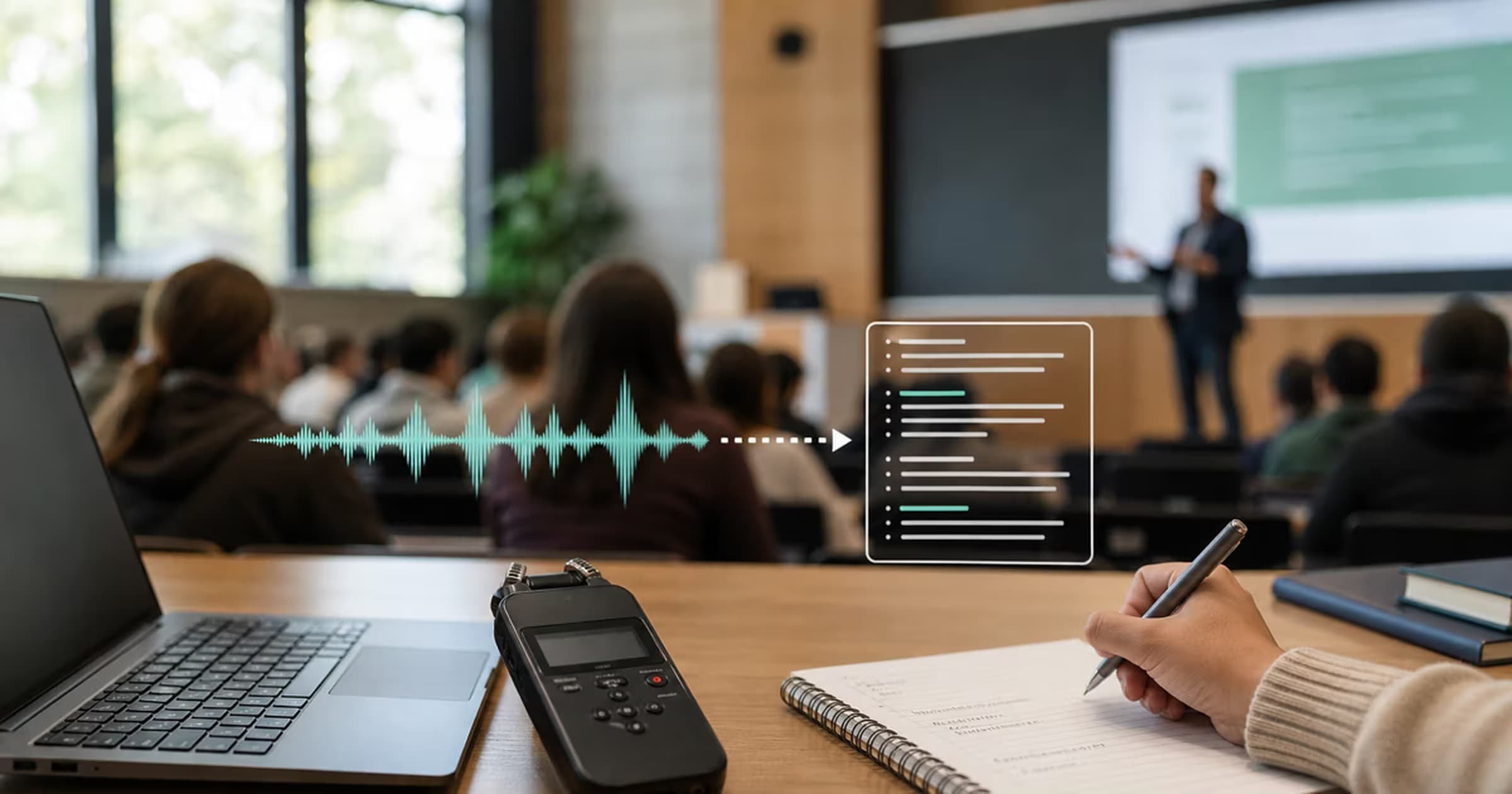
Ask First: Recording Etiquette and Rules
Universities treat lecture recording three ways: allowed by default (often stated in the syllabus), allowed with permission, or prohibited for specific courses (guest speakers, clinical cases, seminars where classmates' contributions dominate). Accessibility offices can also authorize recording as a formal accommodation under the institution's process.
A short written request ("May I audio-record lectures for personal study?") documents the answer for that course. Permission to record for study does not automatically permit redistribution; sharing a transcript of someone's course publicly is a different act with different rules.
Step 1: Record the Lecture Well
Transcription quality is shaped at recording time. Microphone placement often matters more than switching between similar models:
- +Sit close, or place the phone forward. Shorter distance to the lecturer usually improves the signal more than changing recorder apps.
- +Voice Memos or another recorder is enough when the lecturer is clearly audible. Keep the phone's microphones uncovered and away from notebooks, sleeves, and laptop fans.
- +Use Do Not Disturb or Airplane Mode when course rules allow it, and confirm the recorder is still running after changing modes.
- +For a long seminar, check battery and free storage before class. File size varies by app, format, and recording mode, so do not rely on one fixed megabytes-per-minute estimate.
Apple's Voice Memos recording steps cover microphone level, pausing, and resuming. Built-in Voice Memos transcripts require iPhone 12 or later, support a defined language list, and are not available in every region. They are useful for a quick check, not a reason to skip reviewing technical terms.
Step 2: Transcribe the Lecture Free
- 1In Voice Memos, open the recording, choose Share, and save it to Files, AirDrop it, or open it on the phone. Keep the original file until the transcript has been checked.
- 2Open Spokenly and pick Transcribe File. Drop in the lecture, or batch-drop several recordings at once if you have a backlog.
- 3Choose a local model that the device supports. Parakeet V3 is a fast multilingual option on Apple Silicon. Whisper runs on Apple Silicon, Intel Macs, Windows, and Linux, with speed depending heavily on the hardware and model size.
- 4Export Markdown for Notion or Obsidian, TXT for anything else, or SRT if you keep the audio and want jump-to-timestamp navigation.
A semester of lectures can run dozens of hours, which exceeds many cloud free tiers. Lecture audio can also capture classmates' questions and personal remarks. A local model avoids the upload, but it does not remove the need for permission or careful storage. Speaker labeling is limited in this workflow, and every model can miss drug names, formulas, names, and non-English quotations. Keep the audio until those details are checked.
Speed, Accuracy, and Troubleshooting
Processing speed is a property of the whole setup, not only the app. Model size, CPU or GPU, thermal limits, audio duration, and optional AI cleanup all affect the finish time. The open-source Whisper repository documents several model sizes with different memory and speed trade-offs. A five-minute sample from the actual lecture is the quickest benchmark for your machine.
The transcript is mostly blank
Confirm the file plays outside the transcription app, select the spoken language manually if detection failed, and test a short WAV or M4A export.
The back row sounds muddy
A larger model cannot recover words the microphone never captured. Ask for the lecturer's slide deck, move closer next time, and compare the transcript against your live notes.
Technical terms are wrong
Create a replacement list for repeated names and terminology, then search the entire transcript. Verify equations, citations, dosage, dates, and numbers against the audio or course material.
A seminar has no speaker labels
Mark only the changes needed for comprehension, such as Lecturer, Student, and Guest. For automatic diarization, use a service that explicitly supports speaker labels and check its privacy terms.
Step 3: Turn Transcripts into Study Notes
Search beats re-listening
One folder of Markdown transcripts makes the whole semester greppable: every mention of a theorem, case, or date surfaces in seconds. This alone repays the setup.
Summarize with AI
Feed a transcript to your AI of choice with a prompt like "exam-focused outline with definitions". Spokenly's AI prompts can run a cleanup or summary pass right after transcription, through Pro or your own API key (a pay-as-you-go account with an AI provider).
Anki and flashcards
Definitions and enumerations lift straight from transcripts into flashcards, with the lecture context preserved instead of a textbook's phrasing.
Link, don't hoard
In Notion or Obsidian, link the transcript from your handwritten notes for that week. Sparse live notes plus a searchable verbatim record is the combination that holds up at exam time.
Keep the transcript linked to the lecture date, slide deck, and your live notes. When a summary omits a definition or reverses a qualification, return to the timestamped source instead of treating the generated study sheet as authoritative. Delete the audio only after the transcript has been checked and the course's retention rules allow it.
Best Apps for Transcribing Lectures
Spokenly
Mac, Windows, Linux, iPhone, and iPad. Imports completed recordings rather than showing a live lecture transcript. Free local models have no minute caps, keep audio on the device, and export TXT, Markdown, SRT, or VTT. Pro is optional and eligible students receive 50% off.
Apple Voice Memos
Supported Apple devices and languages. Recording and available transcription are included, with the audio kept as the reference. It is convenient for capture, but language coverage and export choices are narrower than a dedicated file workflow.
Otter
Web and mobile cloud service for live text, uploads, and speaker labels. Basic includes 300 monthly minutes, but only 30 minutes of each conversation or import are accessible and file imports are limited to three. Paid plans fit full live lectures better.
Microsoft OneNote
OneNote for Microsoft 365 on Windows can record while notes are taken or upload a file, then link the cloud transcript to annotations. Microsoft lists 300 uploaded minutes per month, stores recordings in OneDrive, and requires an internet connection.
Whisper CLI
Mac, Windows, and Linux for completed audio files. Free and local with model and output control, no service cap, and no automatic speaker labels. It requires terminal setup and does not provide a live student-notes interface.
Otter's Basic plan limits matter more than the headline monthly total for lectures: a 90-minute class exposes only the first 30 minutes on the free plan. The local route has no service ceiling, while Otter's paid plans are the fit when live text and automatic speaker labels justify cloud processing.
Microsoft's OneNote transcription guide documents its platform, OneDrive storage, and monthly upload allowance. Choose live cloud tools when seeing text during class matters; choose local file tools when privacy, complete lectures, and predictable exports matter more.
Video Lectures, Zoom Classes, and Online Courses
Recorded classes follow the same pipeline with one extra step: get the audio. Zoom and Teams recordings transcribe directly as files (the Zoom guide covers it), lecture-capture MP4s work via the MP4 to text route, and many course platforms already ship transcripts worth checking for before doing any work. For paid courses, read the terms before downloading anything; platforms differ on what is allowed.
FAQ
What is the best app for transcribing lectures?
For private, unlimited file transcription, record with the phone you have and process the file locally with Spokenly. Otter is useful for live cloud transcription and speaker labels, but its Basic plan limits each conversation or import to 30 accessible minutes and allows only three file imports, so it does not cover a normal 60 to 90 minute lecture without a paid plan.
How do I transcribe a lecture for free?
Record the audio, then run the file through a local transcription app. Spokenly transcribes files free on Mac, Windows, Linux, and iPhone and exports TXT or Markdown for a notes app. Parakeet is available on Apple Silicon, while Whisper supports a broader range of hardware. Processing time depends on the device, model, and recording quality.
Is it OK to record a lecture?
Ask first. Policies differ by university, course, and country: some professors allow it openly, some allow audio but not video, accessibility offices can authorize recording as an accommodation, and some courses prohibit it for guest speakers, clinical material, or other students' voices. A short written request documents the answer.
How long does it take to transcribe a one-hour lecture?
There is no reliable universal time. A fast local model on recent Apple Silicon can finish much faster than real time, while a large Whisper model on an older CPU can take close to the recording length or longer. Cloud services add upload and queue time. Transcribe a five-minute sample and multiply the measured time by 12 for a useful estimate.
Can I transcribe lecture videos and online courses?
Yes. If the platform provides the video file or you recorded the session, extract or use the audio and transcribe it like any recording; the MP4 to text guide covers the format details. Note that many course platforms already publish transcripts or captions, and downloading paid course content may violate its terms, so check before building a pipeline.
Do students get a Spokenly discount?
Yes, 50% off Pro with a .edu email, which makes it $4.99 per month or $49.99 per year. The free tier already covers the lecture workflow (local transcription has no caps); Pro adds managed cloud models and is the option for AI cleanup without bringing your own API key.
Should I transcribe or take notes by hand?
Both, for different jobs. Handwritten or typed notes encourage active processing during the lecture. A saved recording preserves the source, while its transcript creates a searchable draft that still needs checking for names, numbers, and technical terms. The strong combination is sparse live notes plus a verified transcript you query later.
Ready to try Spokenly?
Free to use with local models. No account required.
Download SpokenlyRead next