
Why Journal by Voice
A voice entry can be easier to start than a blank page, especially when you want to capture an event before the details fade. Speaking also preserves pace and tone when audio matters, while transcription turns the same entry into text that can be searched and reviewed later.
The trade-off is structure. Spoken entries often contain repetitions, incomplete thoughts, and long pauses. Keep raw audio when expression matters, keep text when retrieval matters, or retain both. That output choice should come before the app choice.
The 3 Ways to Voice Journal
1. Dictate to text
Speak, and the entry lands as text in your journal or notes app. Searchable years later, skimmable, and quotable. This is the strongest default: dictation with a hotkey or keyboard mic into a dated note, done. Works in any app that takes text.
2. Record audio entries
Keep the voice itself: tone, pauses, and emphasis. Day One, Apple Journal, Voice Memos, and simple recorder apps can store audio. Audio takes longer to search and skim unless the app also creates a transcript.
3. Record, then transcribe
The both-worlds workflow: record freely, then batch-transcribe files into text with the audio kept alongside. Best for people who like talking on walks and reading at their desk, and the only workable route for digitizing years of old voice memos.
Text-only works best for daily review, search, and linking between entries. Audio-only preserves delivery but creates a slower archive to browse. Keeping both is worthwhile for major decisions, interviews with future self, grief, creative ideas, or any entry where the sound of the moment carries information the words do not. Routine updates rarely need both copies forever.
Voice Journal Apps Compared
Apple Journal
Platforms: current iPhone, iPad, and Mac releases. Price: included. It combines text, audio, photos, search, and journal export. Audio transcription is English-only, excluding some locales. Entries can sync through iCloud, so an on-device transcript does not automatically mean local-only storage.
Day One
Platforms: iPhone, iPad, Android, Mac, web, and Windows. Basic text journaling is free; Silver is $49.99 per year and Gold is $74.99 per year. Audio recording is paid. Built-in transcription is iOS-only, limited to transcription-mode recordings of up to 10 minutes, and does not process imported audio. Search, multiple journals, sync, and export are the main strengths.
Audionotes
Platforms: iPhone, Android, web, and Mac beta. The free plan allows unlimited one-minute voice notes with transcripts, summaries, search, and organization. Pro is $129.99 per year and removes voice-note and upload limits. It is a cloud AI service, not a local-only journal.
AudioPen
Platforms: iOS, Android, Chrome, and Mac. It rewrites rambling audio into polished text and stores notes across devices. Paid access starts at $33 for three months or $99 for one year, with recordings up to 15 minutes. It is useful for refined prose but has less journal structure than Apple Journal or Day One, and processing is cloud-based.
Voice Journal for Android
Platform: Android. Its Google Play listing describes offline German transcription, tags, text search, and JSON or text export, with no account, ads, or cloud upload. It is the narrowest option here: useful for a private German-language journal, not a broad multilingual or cross-platform archive.
Day One's audio limits are easy to miss. Standard recordings can be longer but are not transcribed. Transcription mode runs for up to 10 minutes in the iOS app. Day One states that an internet connection is required, while compatible iOS 26 devices with Apple Intelligence can process the transcript on-device. Imported audio can be attached to an entry but not transcribed by Day One.
Apple Journal audio transcription is built into current Apple software but is limited to English and is not available in Singapore or India locales. Audionotes and AudioPen take the opposite approach with cloud transcription and rewriting. The Voice Journal Android listing documents its narrower offline workflow.
Spokenly covers the whole loop on Mac, Windows, Linux, iPhone, and iPad: dictate into Day One, Obsidian, Notion, Apple Journal, or a local file, transcribe old recordings, or record directly and keep the entry in Spokenly's own history. That history works as a lightweight voice journal by itself; a dedicated journal app adds structure such as tags, prompts, and photo entries on top. Local models are free with no minute caps. Android is not supported, and local recognition does not stop a destination app from syncing the finished text.
Privacy: The Question That Picks the Tool
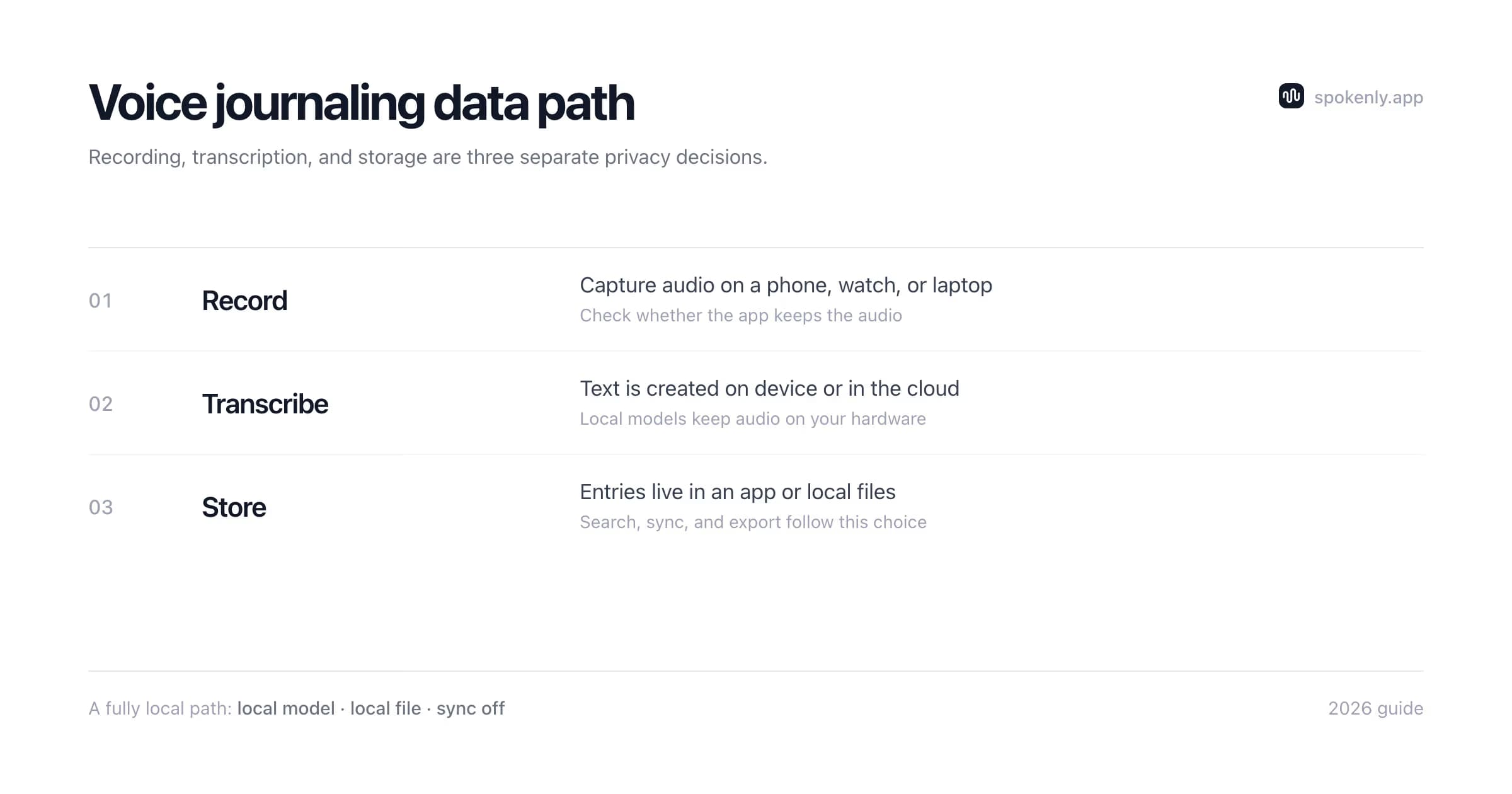
A journal holds some of the most sensitive text you will ever produce: health, relationships, work grievances, half-formed fears. Where that content is processed is the whole decision, not a footnote to it.
- +Cloud transcription and AI summaries mean your entries pass through someone's servers under their data terms. Read them if you go this route.
- +On-device transcription (local Whisper or Parakeet) means speech recognition runs on your hardware. Pick a cloud model and audio goes to that provider. Local Only Mode blocks Spokenly's outbound network access while dictating, but it cannot stop a separate destination app from syncing the inserted text.
- +Storage counts too. A local Markdown folder with cloud sync disabled keeps the archive on the device. A cloud journal may still upload locally transcribed text, so verify sync, encryption, retention, and deletion controls instead of assuming.
The fully-local pipeline (dictate locally into local files) is covered more broadly in the offline speech-to-text guide.
Build a Searchable Voice Journal
A voice journal becomes more useful when every entry follows the same small structure. Keep the capture process fast, then organize the result after speaking:
- 1Name the entry with an ISO date and a short topic, such as 2026-07-13-project-decision. Dates sort correctly in every file manager and notes app.
- 2Keep the original audio when tone or exact wording matters. Store the transcript beside it with the same base filename so the pair never separates.
- 3Add two or three stable tags after transcription, such as work, family, health, or decision. Avoid inventing a new tag for every entry.
- 4Correct names, dates, and numbers while the memory is fresh. Leave harmless repetitions alone unless you plan to share the entry.
- 5Back up the journal in the same way as other sensitive documents. Test that the backup can be restored, not only that sync appears enabled.
Old recordings use the same structure. Export them from Voice Memos, batch-transcribe locally, and use the recording date rather than the processing date. Spokenly's voice memo transcription workflow covers the file steps and exports.
A Five-Minute Voice Journal Routine
A repeatable boundary keeps a voice entry from turning into an unreviewed hour of audio. Five minutes is long enough to capture context and short enough to transcribe, verify, and file immediately:
- 1Name the date and topic in the first sentence. This makes an audio-only entry identifiable before transcription and gives the text a useful opening line.
- 2Describe what happened before interpreting it. Names, places, and sequence are easier to verify while the event is recent.
- 3Say what felt important or unresolved. This separates a journal entry from a plain activity log without requiring a polished conclusion.
- 4Finish with one sentence about the next step, question, or detail to revisit. A fixed ending prevents indefinite rambling.
- 5Review the transcript for names, dates, and accidental microphone capture, then file it. Do not postpone every cleanup pass to the end of the month.
Audio-first entries can keep the raw recording beside the text. Text-first entries can use dictation directly inside the destination app, which removes the import step. The routine stays the same even when the app changes.
Prompts That Work Out Loud
Spoken journaling starts faster with a question to answer. Prompts that survive being said aloud:
- +What actually happened today, in order? (The narrative unlock; the feelings follow the events.)
- +What is taking up space in my head right now?
- +What did I handle well today, and what would I redo?
- +What am I avoiding, and what is the smallest next step?
- +What do I want future-me to remember about this week?
FAQ
What is voice journaling?
Journaling by speaking instead of writing: you talk through your day, feelings, or decisions, and the entry is kept as audio, as text transcribed from your speech, or both. It preserves the reflective benefit of journaling while removing the blank-page and tired-hands problems that end most journaling habits.
What is the best voice journal app?
Choose by platform and output. Apple Journal is the strongest included option on current Apple devices. Day One has the broadest journal structure and cross-platform access, but audio requires a paid tier and built-in transcription is limited. Audionotes and AudioPen work across Android, iPhone, and the web with cloud transcription. Voice Journal is a focused Android option with offline German transcription.
Is there a free voice journaling app?
Yes. Apple Journal is included on supported Apple devices. Audionotes has a free plan with one-minute voice notes, and Voice Journal for Android advertises offline transcription without an account or ads. Day One Basic is free for text, but audio recording is a Silver or Gold feature. Spokenly is free with local models and no minute caps: dictate into a journal app, transcribe saved recordings, or record and keep entries in its history.
Voice journaling vs brain dumping: same thing?
Related but different intents. A brain dump empties working memory (tasks, worries, fragments) to reduce noise. A journal entry reflects: what happened, how it felt, what it means. Voice suits both; the brain dump guide covers the capture-everything side.
Can I transcribe years of old audio diary recordings?
Yes. Export the recordings from Voice Memos or another recorder, batch them through Spokenly's Transcribe File with a local model, and save the results as dated Markdown or TXT files. Day One can attach imported audio, but its built-in transcription only works on audio recorded inside Day One, so old imports need a separate transcription step.
Is it safe to journal into an app?
A journal is among the most sensitive data you produce, so check both processing and storage. Local transcription keeps speech recognition on your device, but the resulting text can still sync if it is inserted into a cloud journal or notes app. A fully local workflow needs both a local model and local storage with cloud sync disabled. Verify encryption, retention, export, and deletion controls for every app.
Ready to try Spokenly?
Free to use with local models. No account required.
Download SpokenlyRead next