
Local Only Mode
Keep all transcription on-device by disabling internet access and using local models.
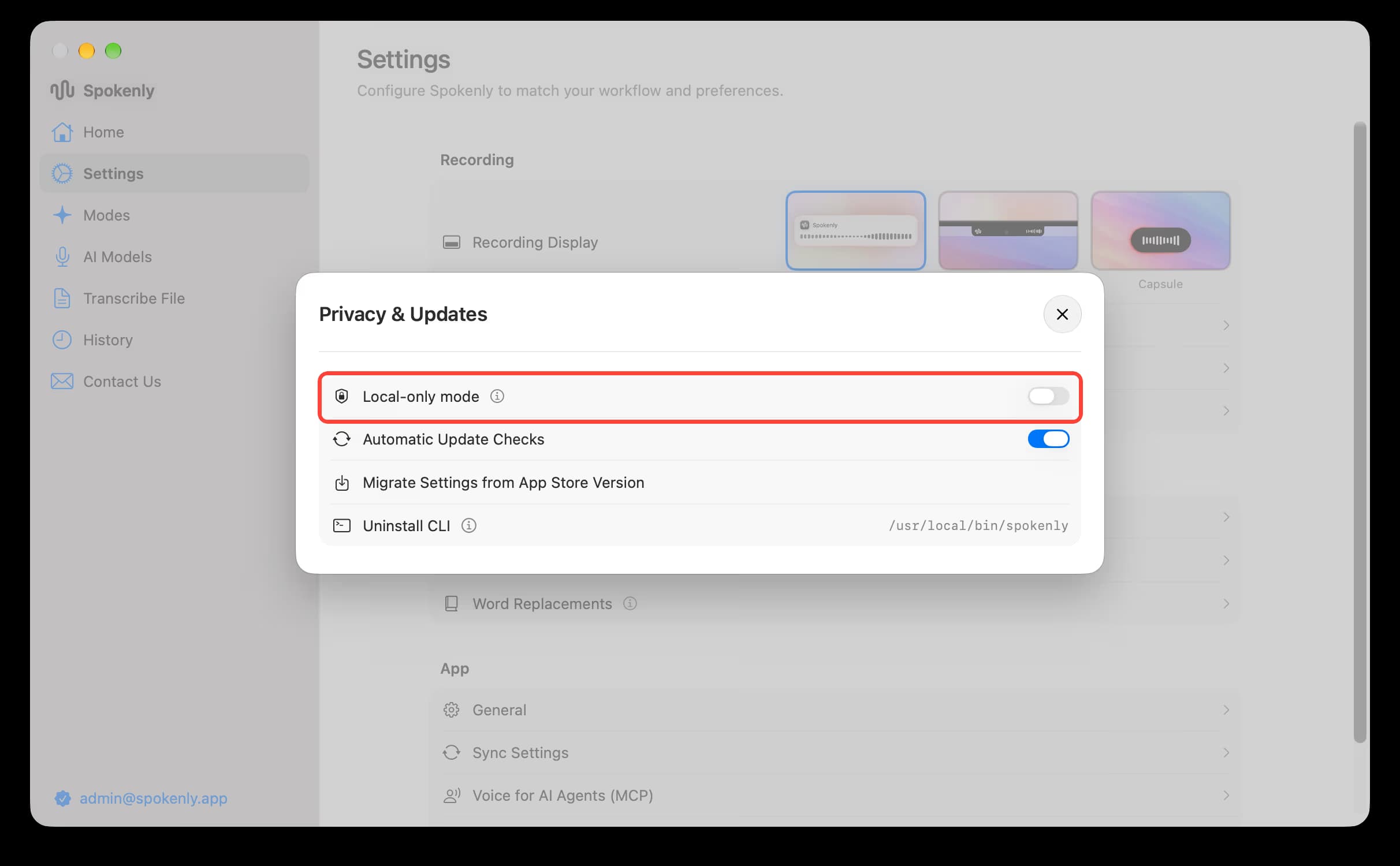
Local Only Mode blocks internet connections for extra privacy. With local models, Spokenly already keeps your audio on your device; this mode adds another layer by disabling all network activity except local model downloads. If you select an online model, transcription fails because network requests are blocked. Many users pair Local Only Mode with a local model like NVIDIA Parakeet or Whisper for completely private transcription.
Common Setup
Install a Local Model
In AI Models, download a local model like NVIDIA Parakeet or Whisper. On iPhone, tap a model in the Local tab, tap Download, and keep Spokenly open until the download is complete. Large Whisper models may not work on iPhone, so Spokenly warns you before you download one.
Enable Local Only Mode
Turn on Local-only mode to block network access. On Mac, Windows and Linux, it is in Settings > Privacy & Updates. On iPhone, it is in the App section of the Settings tab. On Android, it is in Settings > Advanced Settings.
Transcribe Privately
Start dictating. Your audio and text never leave your device.
Benefits
- Ideal when you need enhanced privacy.
- Safe for sensitive information.
- Guarantees that no data leaves your device.
Technical Details
Local Only Mode allows connections to localhost, so locally hosted models work without restriction. For example, you can use Speaches or similar services. Deploy local text models (LLMs) and dictation models (NVIDIA Parakeet, Whisper), and Spokenly communicates exclusively with these local endpoints.
Local model downloads come from Spokenly's CDN or Hugging Face and never include your audio, transcripts, or analytics.
Enforce on Managed Macs
Organizations can turn on Local Only Mode with MDM so that users can't turn it off. Deploy a configuration profile with these settings:
- Preference domain:
app.spokenly - Key:
localOnlyMode - Type: Boolean
- Value:
true
In Jamf Pro, use Application & Custom Settings. Most MDM solutions also accept this profile as a custom profile:
<?xml version="1.0" encoding="UTF-8"?>
<!DOCTYPE plist PUBLIC "-//Apple//DTD PLIST 1.0//EN" "http://www.apple.com/DTDs/PropertyList-1.0.dtd">
<plist version="1.0">
<dict>
  <key>PayloadContent</key>
  <array>
    <dict>
      <key>PayloadType</key>
      <string>app.spokenly</string>
      <key>PayloadIdentifier</key>
      <string>app.spokenly.local-only-mode</string>
      <key>PayloadUUID</key>
      <string>92939500-C8A2-4426-9394-D6B98B87175A</string>
      <key>PayloadVersion</key>
      <integer>1</integer>
      <key>localOnlyMode</key>
      <true/>
    </dict>
  </array>
  <key>PayloadDisplayName</key>
  <string>Spokenly Local Only Mode</string>
  <key>PayloadIdentifier</key>
  <string>app.spokenly.profile.local-only-mode</string>
  <key>PayloadType</key>
  <string>Configuration</string>
  <key>PayloadUUID</key>
  <string>E294EB14-5829-4BB7-836B-A8E69CF75709</string>
  <key>PayloadVersion</key>
  <integer>1</integer>
</dict>
</plist>
Restart Spokenly after the profile is installed. The Local Only Mode toggle is then locked, and Settings shows that your organization manages it.
Enforce on Managed Windows PCs
Organizations can turn on Local Only Mode with Group Policy or Intune so that users can't turn it off. The policy sets this registry value:
- Key:
HKEY_LOCAL_MACHINE\SOFTWARE\Policies\Spokenly - Value name:
localOnlyMode - Type:
REG_DWORD - Data:
1
Download the policy templates: Spokenly.admx and Spokenly.adml.
For Group Policy, copy Spokenly.admx to C:\Windows\PolicyDefinitions and Spokenly.adml to C:\Windows\PolicyDefinitions\en-US, or to the same folders in your domain's Central Store. Then set Computer Configuration > Administrative Templates > Spokenly > Local Only Mode to Enabled.
In Intune, upload both files under Devices > Manage devices > Configuration > Import ADMX. Then create a Windows 10 and later policy with the Templates > Imported Administrative templates profile type and enable Local Only Mode.
Restart Spokenly after the policy is applied. The Local Only Mode toggle is then locked, and Settings shows that your organization manages it.

