
Dictionary
Improve transcription accuracy with custom vocabulary.
Custom dictionaries help transcription models recognize names, brands, and technical terms. They work with supported models both through a Spokenly Pro subscription and with your own API key.
For accuracy, we recommend ElevenLabs Scribe. The steps below show how to add custom words to it.
For simple find-and-replace rules, see Word Replacements.
How to Access
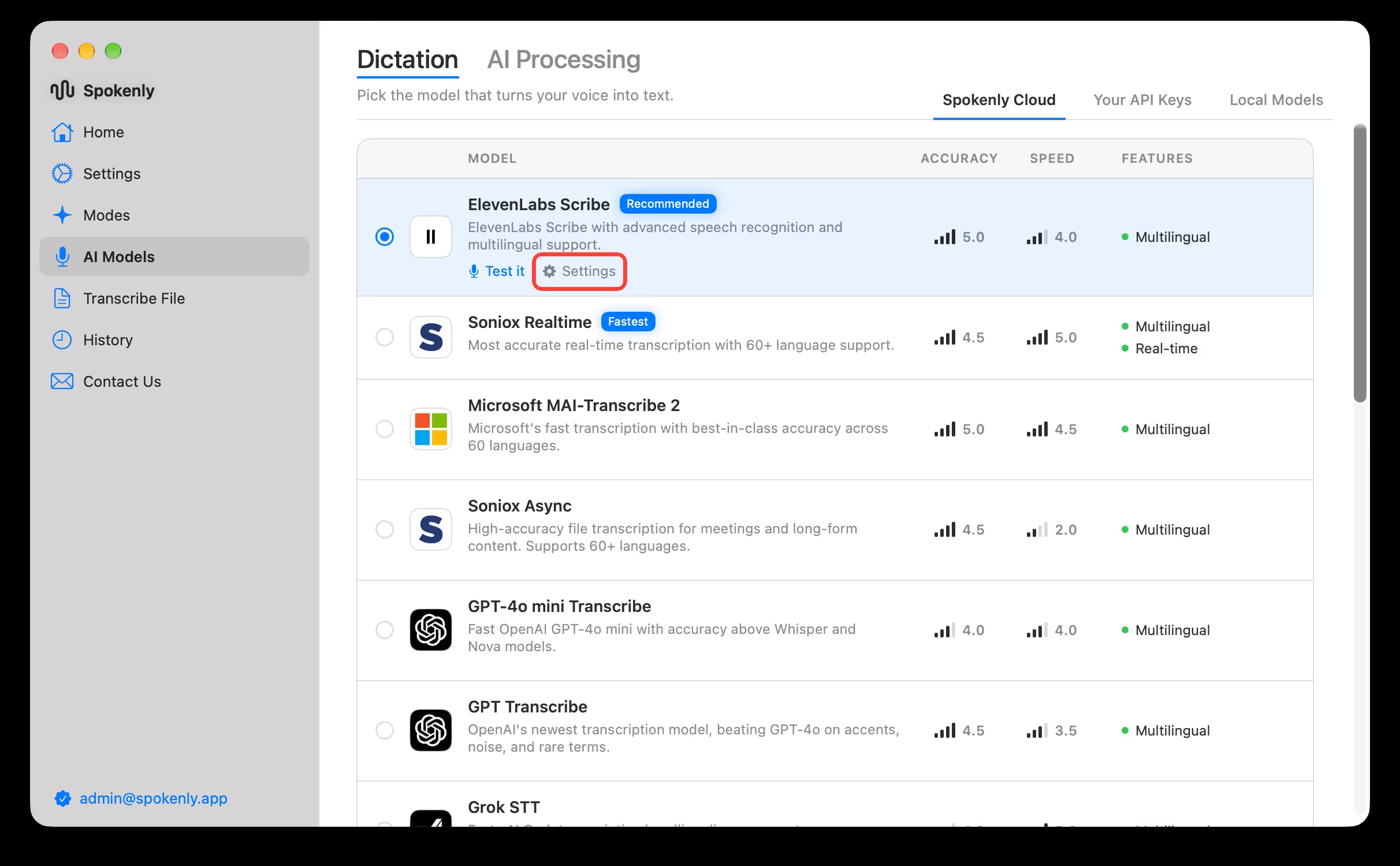
Open AI Models, then click Settings next to ElevenLabs Scribe or another supported model.
Setting Up Your Dictionary
In ElevenLabs settings, enter words or short phrases in Keyterms, separated by commas. For example:
Spokenly, Parakeet, Scribe, Priya, ProjectAlphaIn live transcription, only the first 50 terms apply.
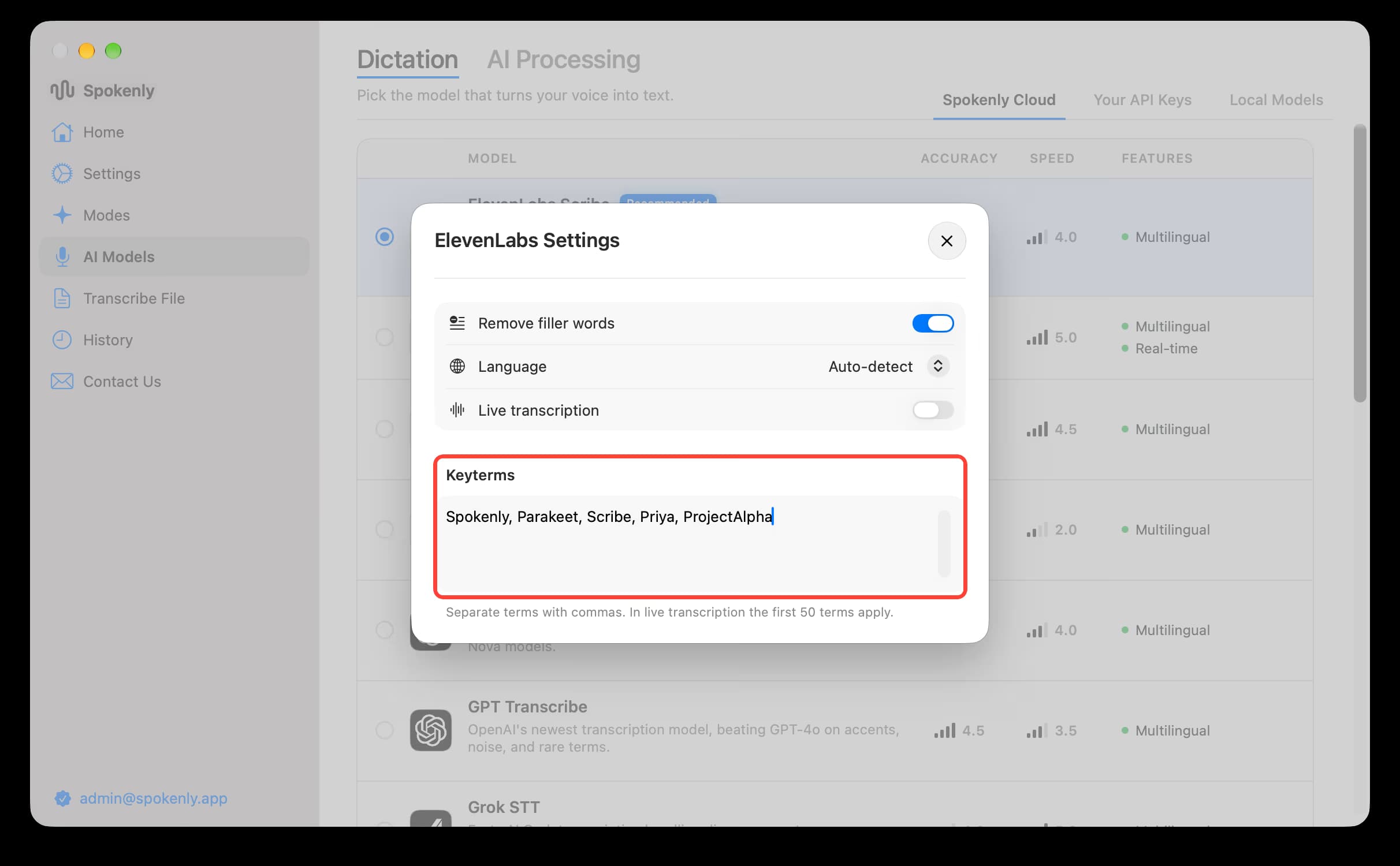
Other models may use a dictionary or prompt field instead. Follow the instructions in that model's settings.
Tips for Effective Dictionaries
- Build your dictionary gradually: Add a word only when the model gets it wrong.
- Include proper nouns: Names of people, companies, products, and places that might be uncommon.
- Add technical terms: Industry-specific jargon, acronyms, or specialized vocabulary.
Supported Models
- ElevenLabs Scribe
- Soniox Realtime
- Soniox Async
- Microsoft MAI-Transcribe 2
- GPT Transcribe
- GPT-4o mini Transcribe
- GPT-4o Transcribe
- AssemblyAI Universal 3.5 Pro
- Gemini 3.5 Transcribe
With your own API key, OpenAI, ElevenLabs, AssemblyAI, and Google Gemini also expose these settings. Deepgram Nova-3 and Flux support Keyterms through the Deepgram API provider. The built-in online Nova-3 models do not have a dictionary setting.
For local Whisper models, see Whisper Prompting.

