
TL;DR
Choose OpenCode if...
You want an open-source coding agent, need provider choice, and want terminal, desktop, or IDE workflows you can shape around your own providers.
Choose Claude Code if...
You already use Claude heavily, want Anthropic's supported path, and prefer a Claude-first agent across terminal, desktop, IDE, and browser workflows.
What OpenCode and Claude Code Are
OpenCode is an open-source AI coding agent for terminal, desktop app, and IDE workflows. Claude Code is Anthropic's Claude-first coding agent across terminal, IDE, desktop app, and browser workflows. Both can read repository context, reason over files, and help apply changes, but OpenCode puts more emphasis on provider choice while Claude Code stays closer to Anthropic's Claude ecosystem.
OpenCode and Claude Code Interfaces
OpenCode and Claude Code are broader than terminal tools. The practical difference is where each product lets you start a session, read files, review diffs, approve commands, and keep context visible.
OpenCode
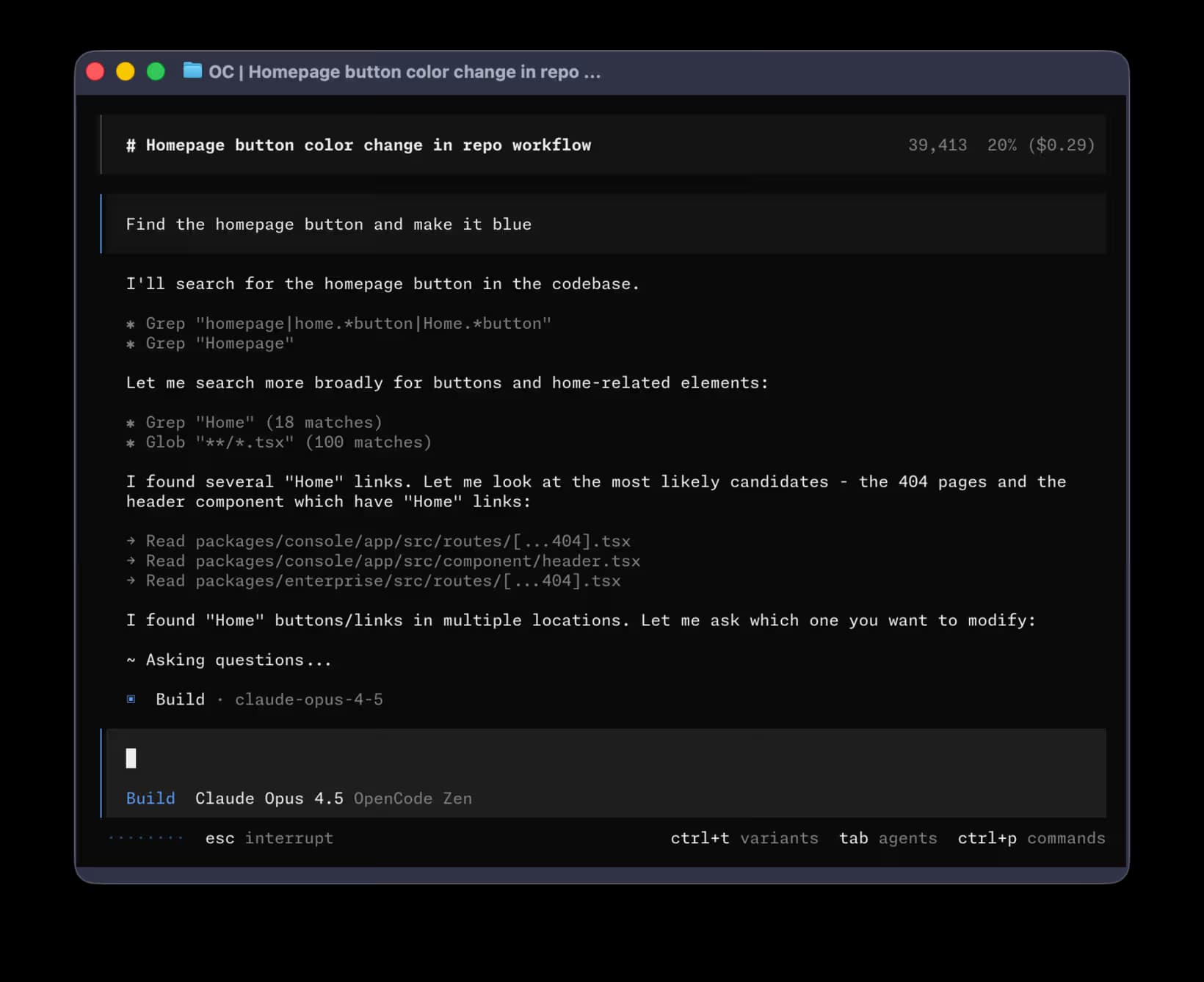
OpenCode has terminal, desktop, and IDE workflows. The IDE extension works with VS Code, Cursor, Windsurf, VSCodium, and other compatible IDEs.
Claude Code
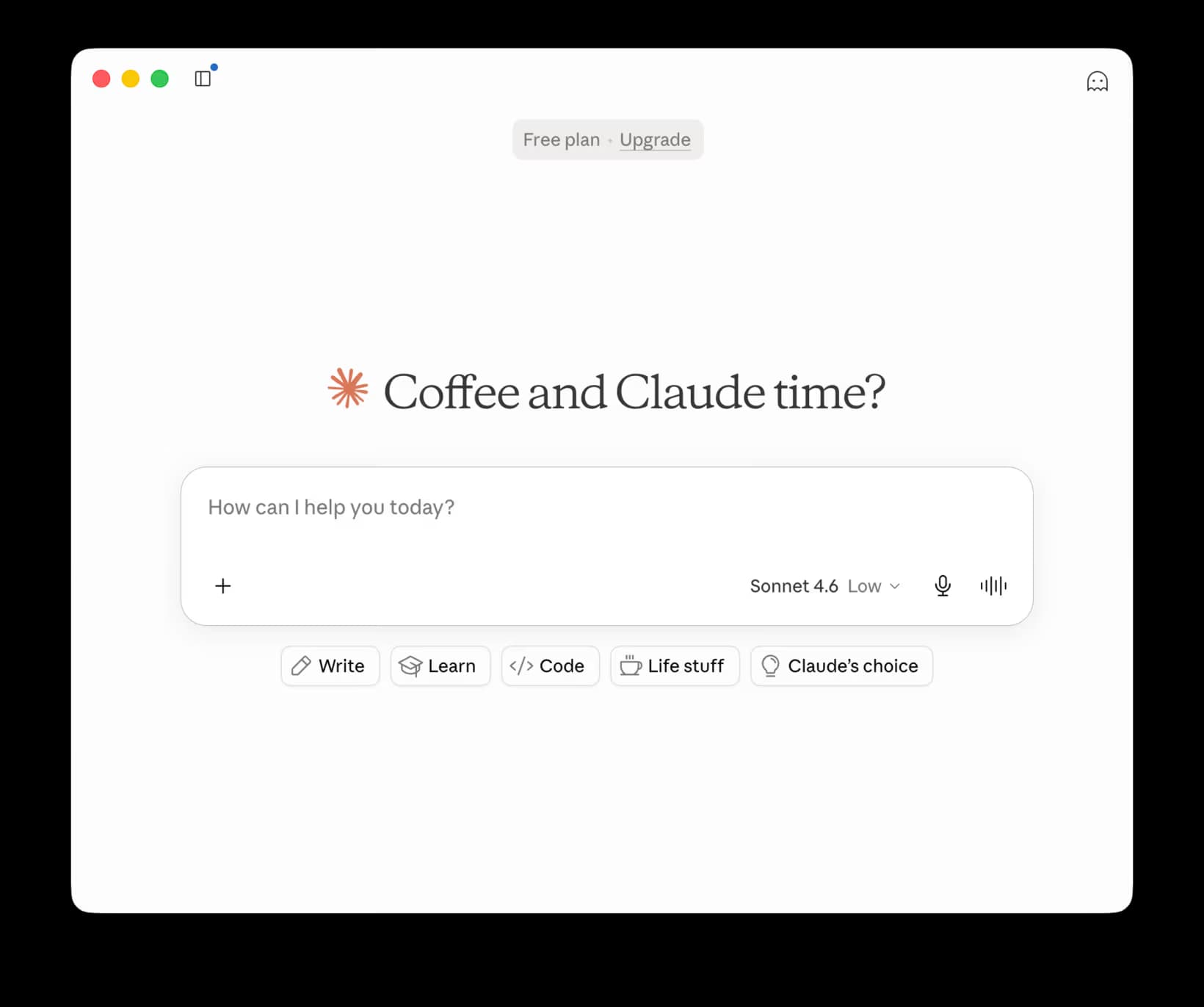
Claude Code works in terminal, IDE, desktop app, and browser workflows. The desktop app has a Code tab with local file access, visual diffs, integrated terminal, file editor, preview, and parallel sessions.
Quick Comparison
Core idea
OpenCode
Open-source coding agent with terminal, desktop, and editor workflows
Claude Code
Anthropic's Claude-first coding agent
Interfaces
OpenCode
Terminal/TUI, desktop app, and IDE extension
Claude Code
Terminal, IDE, desktop app, and browser workflows
Best fit
OpenCode
Developers who want provider choice and open-source control
Claude Code
Teams already standardized on Claude and Anthropic tooling
Terminal workflow
OpenCode
Strong fit for users who want an OpenCode terminal or TUI flow
Claude Code
Strong fit for repo edits, terminal tasks, and Claude-native terminal workflows
Desktop workflow
OpenCode
Available as a desktop app alongside terminal and IDE workflows
Claude Code
Available inside the Claude desktop app with the Code tab, local files, diffs, terminal, preview, and parallel sessions
IDE workflow
OpenCode
VS Code, Cursor, Windsurf, VSCodium, and IDEs that support a terminal
Claude Code
VS Code and JetBrains integrations, plus use inside other IDE terminals
Provider strategy
OpenCode
Designed around model/provider flexibility
Claude Code
Claude-first by design
Voice dictation
OpenCode
Dictate prompts into the terminal or desktop UI with a system-wide tool
Claude Code
Dictate prompts into Claude Code, or let Spokenly MCP provide voice input to agents
Setup and Daily Workflow
OpenCode terminal, desktop, and IDE workflows
OpenCode works across terminal, desktop, and IDE workflows. It is attractive when you want an open-source coding agent that is not tied to one model vendor.
Claude Code terminal, desktop, IDE, and web workflows
Claude Code works across terminal, IDE, desktop app, and browser workflows. It is strongest when the desired assistant is Claude itself, with the desktop app adding a Code tab, visual diffs, preview, file editing, and parallel sessions.
Use voice for prompts and review notes
Dictation is most useful for bug reports, implementation constraints, review notes, and long prompts. Say the outcome you want, then let the coding agent propose the exact command or file edit.
OpenCode terminal
Use the terminal workflow when you want a TUI session next to provider setup, shell output, and repo commands.
OpenCode desktop or IDE
Use the desktop app or IDE extension when you want the coding agent closer to files, editor context, and visual review.
Claude Code terminal
Use the terminal workflow when repo edits, command review, and Claude-native coding sessions happen in the shell.
Claude Code desktop or IDE
Use the desktop Code tab, VS Code, JetBrains, or web workflow for visual diffs, app preview, or multiple sessions.
Models and Providers
One of the clearest differences is model choice. OpenCode fits developers who want to compare multiple providers or keep model choice separate from the agent UI. Claude Code fits teams that want both the agent and model path inside Anthropic's supported ecosystem.
If your team already audits Claude usage centrally, Claude Code is simpler to reason about. If your team tests Claude, GPT, Gemini, Groq, or local providers side by side, OpenCode may fit the experimentation model better.
Pricing and Subscription Implications
Installation price is only a small part of the cost. The real cost comes from model usage, plan eligibility, rate limits, and whether your organization wants billing through Anthropic or through separate model providers.
For Claude Code, check the current plan and usage rules before standardizing a team workflow. For OpenCode, check pricing for the providers you actually connect. The same prompt can have a very different cost profile depending on context size and model choice.
Model billing
OpenCode cost follows the providers you connect. Claude Code cost follows Anthropic's current Claude Code plan and usage rules.
Context size
Large repositories and long prompts can cost more, no matter which agent UI you use.
Team policy
OpenCode may fit teams that approve several model providers. Claude Code may fit teams that want one Anthropic-managed path.
Rate limits
Check daily, weekly, or plan-based limits before standardizing a workflow for heavy coding sessions.
Voice Input Workflow for OpenCode and Claude Code
Voice input is useful for coding agents because the prompt is often prose, not syntax. You can explain the bug, constraints, test plan, and acceptable tradeoffs faster by speaking than by typing, whether the target is a terminal, desktop app, IDE panel, or browser session.
Dictate the task, not the command
Say what you want the agent to investigate or change. Let the agent turn that into commands or edits you can review.
Use multiline prompts
Longer spoken prompts work best when they include files, symptoms, reproduction steps, and success criteria.
Keep voice input system-wide
A dictation tool should work in terminal, desktop app, IDE, browser, documents, and chat, not only inside one coding agent.
Connect voice to agents with MCP
Spokenly can expose dictation to agents through MCP for Claude Code, Cursor, Codex, and related workflows.
For more specific setup, see Voice Dictation for Developers, Claude Code voice dictation, and Voice for Agents.
MCP Voice Input
MCP can let an agent ask for spoken clarification during a coding session. If the prompt contains private repo details, use local dictation before sending the response back to the agent.
A practical voice workflow is simple: dictate the prompt in Spokenly, send the text to OpenCode or Claude Code, and use MCP when the agent needs a spoken follow-up.
Which Should You Choose?
Choose OpenCode
You want provider flexibility, open-source control, and terminal, desktop, or IDE workflows that can evolve outside one model vendor.
Choose Claude Code
You want Claude-first coding with Anthropic billing, support expectations, and a more integrated terminal, desktop, IDE, or browser path.
Use Spokenly with either
You want to dictate longer prompts into the terminal, desktop app, IDE, browser, or agent chat without tying voice input to one coding tool.
FAQ
Is OpenCode better than Claude Code?
OpenCode is better if provider choice, open-source control, and a vendor-neutral agent matter most. Claude Code is better if you want Anthropic's Claude-first coding workflow. The right choice depends on your model preference, team policy, and whether you prefer terminal, desktop, IDE, or browser workflows.
What is the main difference between OpenCode and Claude Code?
OpenCode is built around open-source, provider-flexible agent workflows. Claude Code is Anthropic's Claude-first coding agent. That difference affects setup, billing, support expectations, and how much control you have over model selection.
Can I use voice input with OpenCode?
Yes. Use a system-wide dictation app to dictate into the OpenCode terminal, desktop app, or IDE workflow. Spokenly can also help developer workflows through its MCP server and voice dictation setup for Claude Code, Cursor, Codex, and related agents.
Does OpenCode have a desktop app or IDE extension?
Yes. OpenCode supports terminal, desktop app, and IDE extension workflows.
Does Claude Code have a desktop app or IDE extension?
Yes. Claude Code supports terminal, IDE, desktop app, and browser workflows. Use desktop or IDE workflows for visual diffs, app previews, or multiple sessions.