


How to Dictate to ChatGPT
Use ChatGPT dictation in the prompt box on Mac, Windows, Linux, iPhone, and Chrome. Spokenly types your words into ChatGPT so you can review and edit prompts before sending them.
Updated
Download Spokenly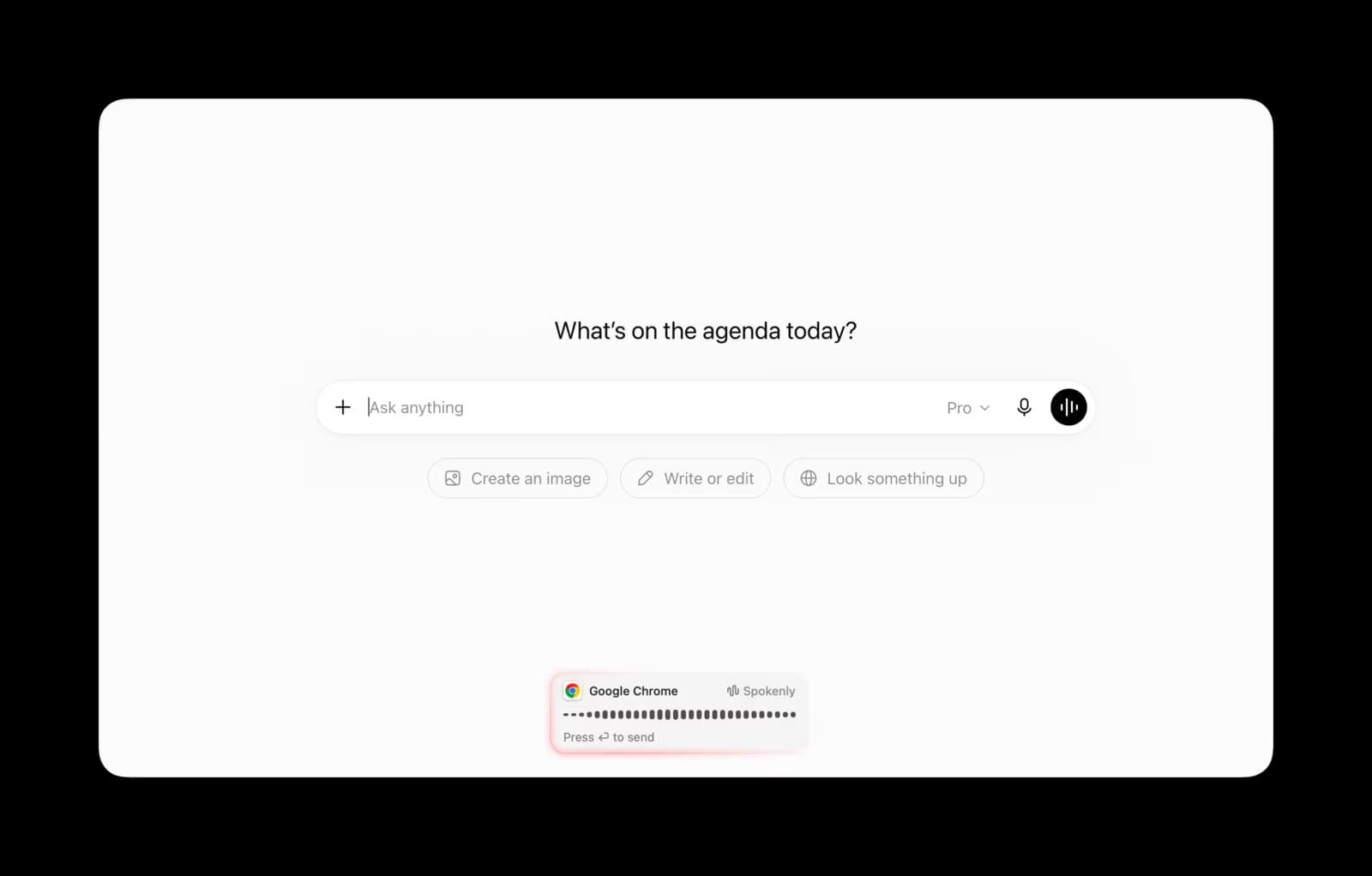
How Spokenly works with ChatGPT
- 1
Download Spokenly
Install Spokenly free from spokenly.app/download. No account is required for local models or BYOK transcription.
- 2
Open ChatGPT
On macOS, Windows, or Linux, open ChatGPT in a browser or its desktop app. On iPhone, open the ChatGPT app or Safari and select the Spokenly keyboard.
- 3
Click into the ChatGPT prompt box
Place your cursor where you want voice input. Same as typing.
- 4
Start dictating
Press Right Command on macOS or Ctrl+Space on Windows and Linux. On iPhone, tap the microphone in the Spokenly keyboard. Your transcribed prompt appears in the ChatGPT box.
- 5
Send your prompt
Edit if needed, then hit Enter. Same workflow as typing, with less friction for long prompts.
Why Spokenly for ChatGPT
Editable prompts
ChatGPT voice mode is built for conversation. Spokenly is text-first dictation, so long prompts stay visible and editable before you send them.
Works around mic-access friction
If ChatGPT asks you to enable mic access, browser and app permissions can get in the way. Spokenly types into ChatGPT like a keyboard.
Audio stays on your device
Spokenly's Local Only Mode keeps voice data off any cloud, including OpenAI's. Only the final text goes to ChatGPT.
Common use cases
Writing detailed prompts
Long, contextual prompts are easier to speak than type. Dictate the full setup once and let ChatGPT handle the response.
Coding with ChatGPT
Describe a function, paste your error, ask for a refactor. Voice dictation makes back-and-forth iteration much faster than typing.
Fixing ChatGPT dictation workflow gaps
If native ChatGPT dictation skips the text field or sends before you can edit, use Spokenly to put speech-to-text output directly into the prompt box.
Brainstorming with ChatGPT
Free-form thinking out loud. Spokenly transcribes verbatim and ChatGPT can summarize or organize.
Multilingual prompts
Spokenly supports 100+ languages. Speak Spanish, German, or Japanese into ChatGPT's prompt box without switching keyboard layouts.
Long Canvas drafts and Custom GPTs
ChatGPT's Canvas accepts long-form text and Custom GPTs run on standard chat input. Spokenly drops voice into both. Useful for drafting documents or briefing a Custom GPT with detail.
Frequently Asked Questions
Can I dictate to ChatGPT?
Yes. ChatGPT has native voice and dictation features, and you can also use a system-wide dictation app such as Spokenly. The difference is control: Spokenly inserts editable text into the prompt box before you send it.
How do I enable mic access to dictate in ChatGPT?
In Chrome, open site settings for chatgpt.com and allow microphone access. On Mac or Windows, also allow microphone access for the browser or ChatGPT desktop app in system privacy settings. If permissions keep failing, Spokenly avoids the ChatGPT mic permission path by typing text into the prompt box.
Why use Spokenly instead of ChatGPT's built-in voice mode?
ChatGPT's voice mode is conversation-based. You speak, it responds. For detailed prompts that you want to review before sending, text-first dictation is a better workflow. Spokenly transcribes to the prompt box where you can edit and submit on your timing.
Does Spokenly work with the ChatGPT desktop app?
Yes. Spokenly works in the ChatGPT desktop app on supported desktop platforms and in browsers on macOS, Windows, and Linux.
Is Spokenly free for ChatGPT use?
Yes. Local Parakeet and Whisper models are completely free with no usage limits. Pro is optional and BYOK is also free. See spokenly.app/pricing for the full breakdown.
Can I dictate code into ChatGPT?
Yes. Spokenly's transcription handles code reasonably well, especially for variable names, function signatures, and shell commands. Custom word replacements help for terms it consistently mishears. See spokenly.app/blog/voice-dictation-for-developers for code-focused workflows.
What should I do if ChatGPT dictation is not working?
Check microphone access for chatgpt.com, confirm your browser or desktop app has OS-level microphone permission, then reload ChatGPT. For a full checklist, see spokenly.app/blog/chatgpt-dictation-not-working.
Does it work on iPhone?
Yes. Spokenly's iOS app includes a custom keyboard that works in the ChatGPT iOS app or Safari. It supports local and cloud transcription options with a mobile-friendly UI. See spokenly.app/dictation-for-iphone for iOS feature details.
Does Spokenly work with ChatGPT Plus, Pro, or Team plans?
Yes. Spokenly is plan-agnostic. It works in any ChatGPT account because it dictates into the prompt box like a keyboard. ChatGPT Free, Plus, Pro, Team, and Enterprise are all supported.
Ready to try Spokenly?
Free to use with local models. No account required.
Download Spokenly
