
TL;DR: Which One Wins
There is no single winner because these apps solve different problems. Here is the short version.

Best overall, free
Spokenly
Spokenly offers unlimited free local dictation on Mac, Windows, Linux, and iPhone. With your own cloud API keys, the provider bills for usage and Spokenly adds no fee. The macOS sideload app includes MCP voice input, so coding agents can request spoken answers.
Download Spokenly free- Wispr Flow:Best for teams needing cross-platform polish and built-in AI cleanup. Pay $15/mo, accept cloud-only.
- Superwhisper:Best for Mac power users who want every model and a lifetime license option ($249.99).
- MacWhisper:Best for file transcription (podcasts, meetings) at €59 lifetime. Live dictation is secondary.
Quick Comparison Table
| Feature | Spokenly | Wispr Flow | Superwhisper | MacWhisper |
|---|---|---|---|---|
| Pricing | Free, Pro $9.99/mo | Free, Pro $15/mo | $8.49/mo or $249.99 lifetime | €59 lifetime |
| Free tier | Unlimited local; own cloud keys billed separately | 2,000 words/week desktop; 1,000 iPhone; unlimited Android | Small models + 15-min trial | Limited (no export) |
| Platforms | Mac, Windows, Linux, iOS | Mac, Win, iOS, Android | Mac, Win, iOS | Mac only |
| Works offline | Yes (Parakeet, Whisper) | No, cloud-only | Yes (Whisper, Parakeet) | Yes (Whisper, Parakeet) |
| Primary use | Live dictation | Live dictation | Live dictation | File transcription |
| BYOK cloud APIs | Yes, 9+ providers | No | Yes (Deepgram, ElevenLabs, OpenAI) | Yes (10+ AI providers) |
| Modes with AI Instructions | Yes (GPT-4, Claude, local) | Built-in only | Yes per mode | Yes |
| Agent integrations | MCP voice input (macOS sideload) | MCP access to Notetaker notes | Claude Code pipe (Apr 2026) | CLI scripting |
| Speaker diarization | Provider-dependent | Limited | Provider-dependent | Yes (Pyannote) |
| File transcription | Yes (single) | No | Yes | Yes (batch + watch folders) |
| Languages | 100+ | 100+ | 100+ | 99+ |
| Privacy mode | Local Only Mode | Opt-in zero retention | On-device option | Fully local default |
| Average rating | 4.8 (App Store) | 4.8 iOS / 2.7 Trustpilot | 4.9 Product Hunt | 4.9 Product Hunt |
How We Compared Them
This comparison draws on official documentation from wisprflow.ai, superwhisper.com, and MacWhisper on Gumroad, plus App Store and Product Hunt reviews, recent Reddit threads in r/macapps and r/productivity, public pricing pages, and changelog history through May 2026. Subjective verdicts (rank order, best-for recommendations) reflect the workflows we see most often in dictation app communities.
We scored each app across nine criteria: pricing transparency, free tier usability, platform breadth, offline mode quality, accuracy across accents and jargon, AI editing features, integrations and APIs, privacy stance, and active development cadence. Spokenly combines unlimited free local dictation with MCP voice input in its macOS sideload app. Wispr Flow's MCP integration supplies Notetaker meeting notes; the apps serve different agent workflows.

#1
Spokenly
Best overall: free local models, BYOK cloud, MCP for AI agents
Best for: Anyone who wants free unlimited offline dictation, full control over which speech engine they use, and a tool that works in any app from Mac to iPhone to Windows. Especially strong for developers and privacy-sensitive professionals.
Pros
- Free local Parakeet V3 and Whisper Large V3 Turbo with no time, word, or session limits
- BYOK to OpenAI, Deepgram, and Groq at zero markup
- Local Only Mode blocks all network requests for fully air-gapped dictation
- MCP voice input for Claude Code, Cursor, and Codex in the macOS sideload app
- Modes with AI Instructions (GPT-4, Claude, Gemini, Grok, Ollama) for context-aware text rewriting
- Agent Mode controls macOS with voice commands
- iOS custom keyboard works system-wide in any app
- Bash script hooks run before or after AI processing
Cons
- No Android version yet (waitlist available)
- Some local models, such as Parakeet V2, require Apple Silicon (Intel Macs get Parakeet V3 and Whisper)
- No team or enterprise tier

#2
Wispr Flow
Best for cross-platform teams that need polished AI cleanup
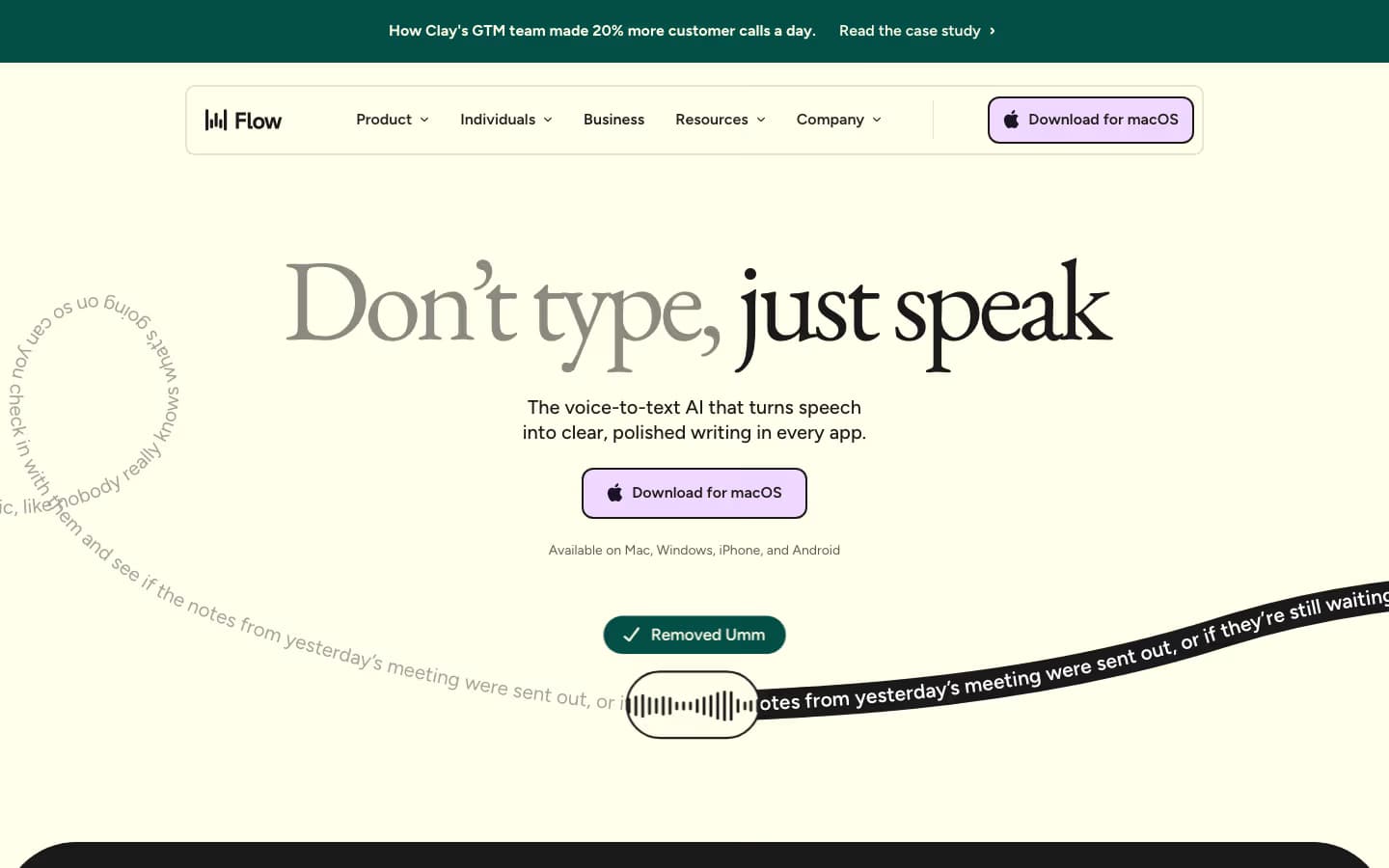
Best for: Teams, executives, and non-technical users who want a polished cross-platform dictation tool with strong AI auto-formatting and do not mind cloud-only processing.
Pros
- True cross-platform: same account works on Mac, Windows, iPhone, Android
- Built-in AI cleanup removes filler words and structures lists, emails, paragraphs
- Command Mode (Pro) for voice-driven text editing across the document
- Personal dictionary and snippets with team sharing on Business tier
- Enterprise tier: SSO/SAML, HIPAA-ready, SOC 2 Type II
- Strong fit for accessibility users (multiple disability-community testimonials)
Cons
- Cloud-only, requires constant internet. No offline mode at any price
- Trustpilot complaints about reliability degrading after the 14-day trial
- Heavy on Windows (~800 MB RAM idle), reports of freezing target apps like VS Code
- Audio routed through OpenAI and Anthropic subprocessors on AWS us-east-1
- Privacy Mode is opt-in, not on by default
- No bring-your-own-key option for transcription

#3
Superwhisper
Best for Mac power users who want every model and a one-time payment option
Best for: Mac power users who want the broadest selection of local and cloud transcription engines, custom prompt modes per app, and a lifetime license option that avoids subscriptions.
Pros
- Largest local model catalog: Whisper Tiny through Large V3 Turbo, Parakeet V2 and V3
- Cloud BYOK to Deepgram Nova 3, ElevenLabs Scribe V2, OpenAI
- Custom modes with user-written prompts trigger per-app behavior
- Auto-detects context (active app, selected text, clipboard) and adapts output
- Claude Code and Open Code agent integration shipped April 2026
- $249.99 lifetime is cheaper than 2 years of Wispr Flow
- 100% on-device option for full privacy
Cons
- Setup is power-user oriented; new users report feeling overwhelmed
- Audio recordings saved to disk by default with no opt-out toggle (23+ feedback votes)
- API keys stored in plaintext JSON, not Keychain
- Recording window overlay is intrusive for some users
- iOS app rated less reliable than desktop
- $249.99 lifetime feels expensive vs MacWhisper at €59

#4
MacWhisper
Best for file transcription (podcasts, meetings, interviews) at lifetime price
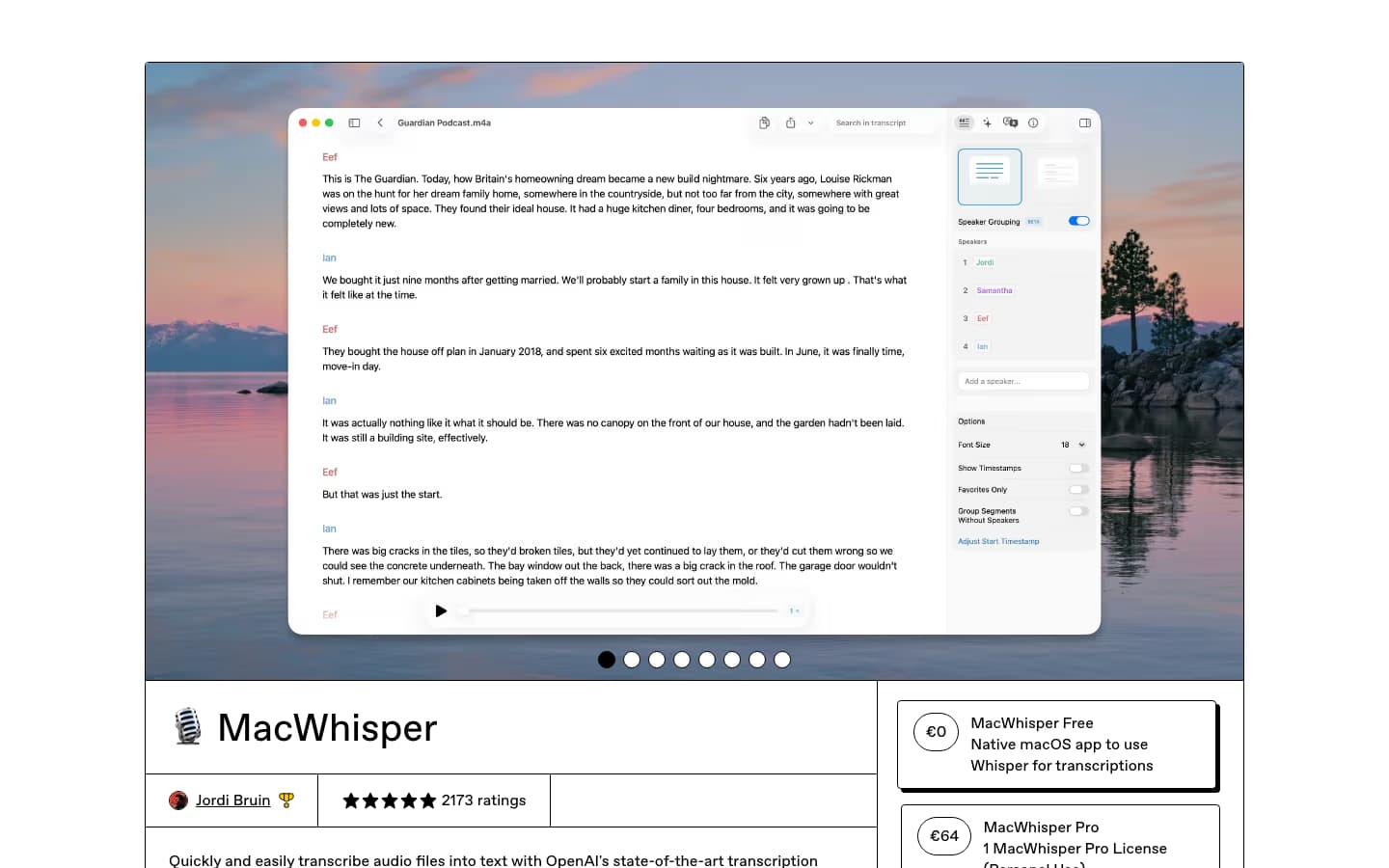
Best for: Podcasters, journalists, researchers, video editors, and lecturers who mainly transcribe audio and video files rather than dictate live. The best lifetime-license value in the category.
Pros
- Drag-and-drop file transcription with batch and watch folders
- Speaker diarization (Pyannote + Parakeet V3) with speaker photos and search
- YouTube URL transcription, subtitle export (SRT, VTT, FCPXML, JSON)
- Apple Speech support on macOS 26: 94x realtime, free, on-device
- Parakeet V3 hits 300x realtime on M-series Apple Silicon
- 10+ AI BYOK providers (OpenAI, Claude, Gemini, Grok, DeepSeek, Ollama, LM Studio)
- DeepL translation and meeting auto-recording (Zoom, Teams, Webex)
- CLI for scripting (v13.20), Notion and Obsidian integrations
Cons
- Live dictation is secondary to file transcription; not its strongest workflow
- Mac only (with separate iOS purchase, not bundled)
- Pricing is fragmented (Gumroad vs App Store, Whisper Transcription branding)
- Speaker diarization beta sometimes splits one speaker into multiple
- No system-wide dictation in the Mac App Store version (Apple restriction)
Wispr Flow vs Superwhisper
Winner: Depends on offline and platform needs
These two apps draw the sharpest line between cloud-managed and local-first dictation. Wispr Flow is cloud-only and polished. Superwhisper is local-first and customizable. Pricing collides: $15/mo for Wispr Flow vs $8.49/mo or $249.99 lifetime for Superwhisper.
Wispr Flow wins on AI cleanup, on Android and Windows breadth, on team features, and on a more polished onboarding. The downside is hard: no offline mode at any price, and the cloud pipeline means every word travels to AWS via OpenAI and Anthropic subprocessors. Trustpilot reviews report reliability issues after the trial.
Superwhisper wins on privacy, on raw model selection (Whisper Tiny through Large V3 Turbo, Parakeet V2 and V3, Deepgram, ElevenLabs), and on long-term cost if you take the lifetime tier. It expects more setup work from you, especially around modes and prompts. The community is power-user heavy.
Choose Wispr Flow if you need it on Windows or Android, if you want plug-and-play AI cleanup, and cloud is fine. Choose Superwhisper if you want offline, customizability, and a non-subscription pricing path. If you cannot decide, Spokenly is free with local models and BYOK and covers both modes.
The dedicated Superwhisper vs Wispr Flow comparison goes deeper on this pair: lifetime-vs-subscription math, privacy specifics, and platform-by-platform performance.
Superwhisper vs MacWhisper
Winner: MacWhisper for files, Superwhisper for dictation
The Whisper-named pair is the most-confused matchup. They solve different problems despite the shared name.
MacWhisper is built around file transcription. Drag in audio or video, get a transcript, export SRT, run AI summarization. Speaker diarization is mature (Pyannote 4 plus Parakeet V3). Batch processing and watch folders make it the workhorse for podcasters and journalists. €59 is a one-time payment.
Superwhisper is built around live system-wide dictation. Hit Option-Space anywhere on macOS, speak, and the text appears. Custom modes per app (Slack, email, code, terminal) reshape the output style automatically. File transcription exists but is not its strength.
Power users frequently run both. MacWhisper at €59 plus Superwhisper at $249.99 lifetime still totals less than 2 years of Wispr Flow Pro. If you want one tool that does both jobs without the extra purchase, Spokenly handles live dictation and file transcription in a single app with free local models.
Wispr Flow vs MacWhisper
Winner: Different categories, hard to compare apples to apples
Wispr Flow and MacWhisper barely overlap. Wispr Flow is a cloud-only system-wide dictation subscription. MacWhisper is a local file-transcription lifetime purchase. Anyone choosing between them probably has not picked a workflow yet.
If your job is to dictate emails, Slack messages, and short documents, Wispr Flow is the natural fit. It also runs on Windows, iOS, and Android, where MacWhisper does not exist at all.
If your job is to transcribe podcasts, meetings, and lectures, MacWhisper is the natural fit. The €59 lifetime price plus Apple Speech support on macOS 26 (94x realtime, free) is hard to beat.
Anyone who needs both jobs should look at Spokenly or Superwhisper. Both handle live dictation and file transcription in one app, and both have local model options Wispr Flow cannot match.
Best Pick by Use Case
Developer writing with AI agents
SpokenlyThe macOS sideload app lets Claude Code, Cursor, and Codex request spoken answers through MCP. Bash hooks can process transcripts before they reach your editor.
Executive or knowledge worker
Wispr FlowAI auto-cleanup polishes filler words and structures lists out of the box. Cross-platform with one subscription. Worth $15/mo if cloud is a non-issue and you need it on Windows or Android.
Podcaster or journalist
MacWhisperFile transcription is its core competence. Drag-and-drop dozens of interviews, get speaker-diarized transcripts, export SRT for video. €59 lifetime is the cheapest serious option in the category.
Mac power user with strict privacy needs
Superwhisper or SpokenlyBoth run Whisper and Parakeet locally with no cloud calls. Superwhisper has more granular per-app modes. Spokenly is free for the same local stack, plus the BYOK option if you ever want cloud accuracy.
Multilingual writer
SpokenlyDictates in 100+ languages with automatic detection. Parakeet V3 covers 25 languages locally on Apple Silicon; Whisper Large V3 Turbo covers 99 languages.
Student on a budget
Spokenly (free tier) or MacWhisperSpokenly's free local models cost nothing forever. Spokenly Pro is 50% off for .edu addresses ($4.99/mo). MacWhisper's €59 lifetime beats every subscription if you only need file transcription.
Compliance-driven team (legal, medical)
Wispr Flow or SpokenlyWispr Flow ships HIPAA BAA on all plans and is SOC 2 Type II. Spokenly's Local Only Mode keeps audio on-device for solo practitioners and avoids the compliance question entirely.
FAQ
Which is the best Mac dictation app in 2026?
Spokenly for daily dictation and meeting recording on Mac: capture system audio and microphone, then transcribe the saved recording with free local models or cloud models. It also supports BYOK and MCP voice input for coding agents. Superwhisper for power users who want every model and a lifetime license. MacWhisper for file transcription (podcasts, meetings). Wispr Flow for teams needing polished cross-platform AI cleanup with no offline requirement.
Is Superwhisper better than Wispr Flow?
Different products. Superwhisper is Mac-focused, offers offline local models and one-time lifetime pricing ($249.99), and is most popular with developers and Mac power users. Wispr Flow is cloud-only across Mac, Windows, iOS, Android, has a polished AI cleanup layer, and costs $15/mo. Choose Superwhisper for privacy, offline, and customizability. Choose Wispr Flow for Windows and Android support plus team features.
Is MacWhisper or Superwhisper better?
They serve different jobs. MacWhisper is primarily for transcribing audio and video files (podcasts, meetings, interviews) with batch processing and speaker diarization. Superwhisper is primarily for real-time system-wide dictation with custom modes per app. Many users run both. MacWhisper at €59 lifetime is significantly cheaper than Superwhisper at $249.99 lifetime if you only need file transcription.
Does any of these apps work on Windows?
Wispr Flow, Superwhisper, and Spokenly all have Windows builds. MacWhisper is macOS only. Wispr Flow is the most mature on Windows but consumes ~800 MB RAM idle. Superwhisper on Windows is newer and has reported stability gaps. Spokenly for Windows is GA and covers the core dictation workflows.
Which one supports HIPAA?
Wispr Flow offers HIPAA-ready usage with a signed BAA on all plans. Superwhisper supports SOC 2 Type II on Enterprise. Spokenly's Local Only Mode ensures audio never leaves your device, which side-steps HIPAA concerns entirely for solo practitioners. MacWhisper running local Whisper is similarly air-gapped. For regulated team workflows with compliance paperwork, Wispr Flow is the easiest to deploy.
Which has the best free tier?
Spokenly offers unlimited free local transcription with Whisper or Parakeet. Its cloud option accepts your own API keys, with usage billed by the provider. Wispr Flow Free includes 2,000 words per week on desktop, 1,000 on iPhone, and unlimited Android dictation. Superwhisper also includes free small local models. Compare the model and platform limits with your workflow before subscribing.
Which is best for accents and multilingual dictation?
All four support 100+ languages via Whisper or similar models. For accented English, Spokenly's BYOK access to GPT-4o Transcribe and Deepgram Nova consistently scores highest in independent tests. Wispr Flow tunes its own pipeline for cleanup, which helps when you want polished output. Superwhisper's Whisper Large V3 Turbo runs fully offline and handles accents well on M-series Macs. MacWhisper matches Superwhisper on file transcription but cannot dictate system-wide in the App Store version.
Which is best for AI coding agents like Claude Code and Cursor?
Spokenly's macOS sideload app exposes voice input through MCP, so Claude Code, Codex, and Cursor can request spoken answers. Wispr Flow also has MCP, for access to Notetaker meeting notes. These serve different tasks: answering an agent's question by voice or giving it existing meeting context.
Can I dictate offline?
Spokenly, Superwhisper, and MacWhisper all support offline dictation via local Whisper or Parakeet models. Wispr Flow is cloud-only and stops working without internet. If you fly, work in cafes with bad Wi-Fi, or handle confidential audio that cannot leave the device, skip Wispr Flow.