
Agentic Actions
Let a mode run an action automatically after it dictates, like a web search, an AI handoff, or app control.
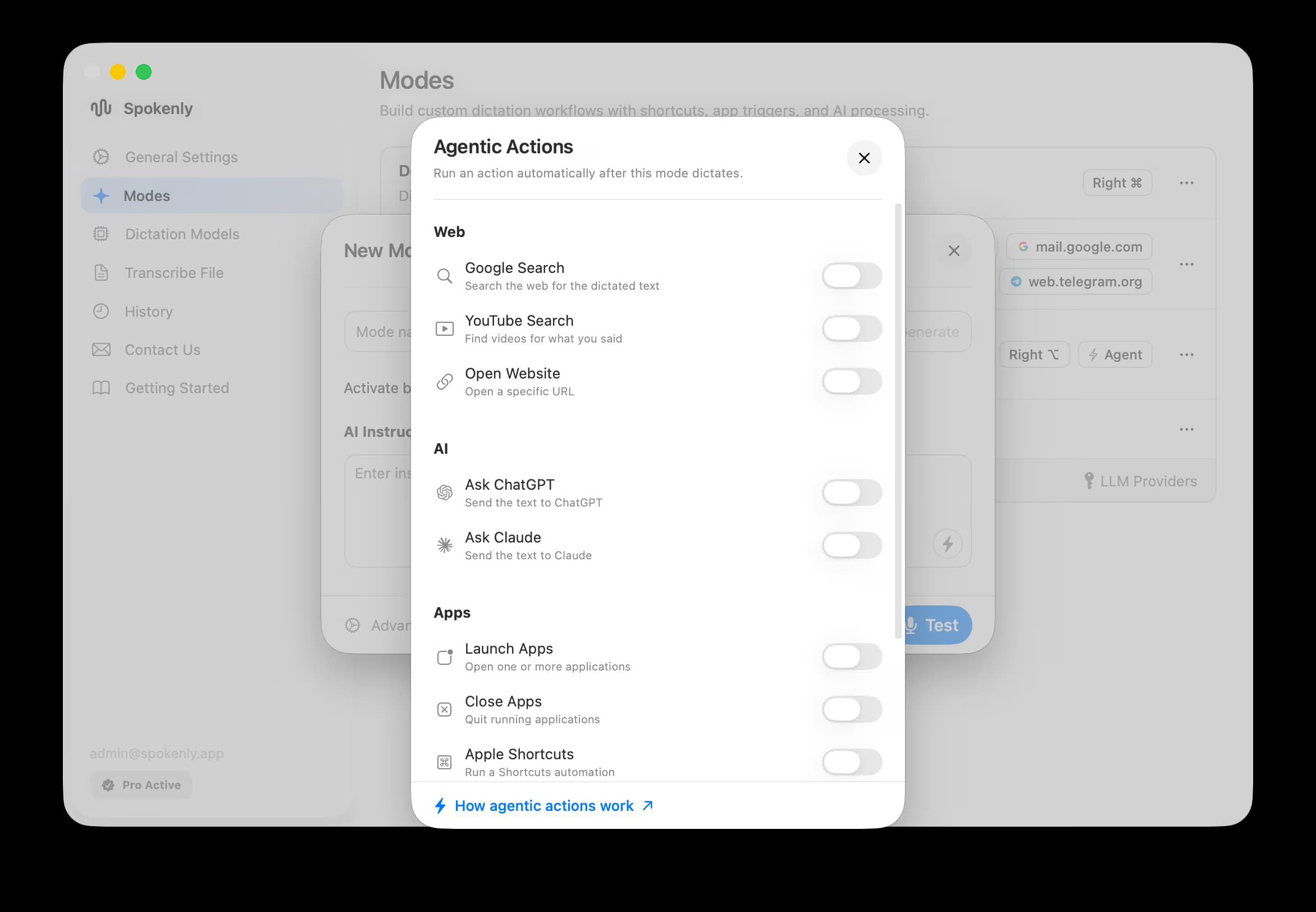
Agentic Actions let a mode do something with your words right after it transcribes them. Turn on the actions you want and the mode can run them automatically on your dictated text: search the web, hand off to an AI assistant, open or quit apps, or run a Shortcut. Agentic Actions are macOS only and are set per mode.
Available actions
Web
| Action | What it does |
|---|---|
| Google Search | Search the web for the dictated text. |
| YouTube Search | Find videos for what you said. |
| Open Website | Open a specific URL. |
AI
| Action | What it does |
|---|---|
| Ask ChatGPT | Send the text to ChatGPT. |
| Ask Claude | Send the text to Claude. |
Apps
| Action | What it does |
|---|---|
| Launch Apps | Open one or more applications. |
| Close Apps | Quit running applications. |
| Apple Shortcuts | Run a Shortcuts automation. |
System
| Action | What it does |
|---|---|
| Shell Command | Run a shell command. |
| Press Keys | Press a key combination. |
Set it up
In a mode, click the lightning bolt button in the AI Instructions area to open the Agentic Actions picker.
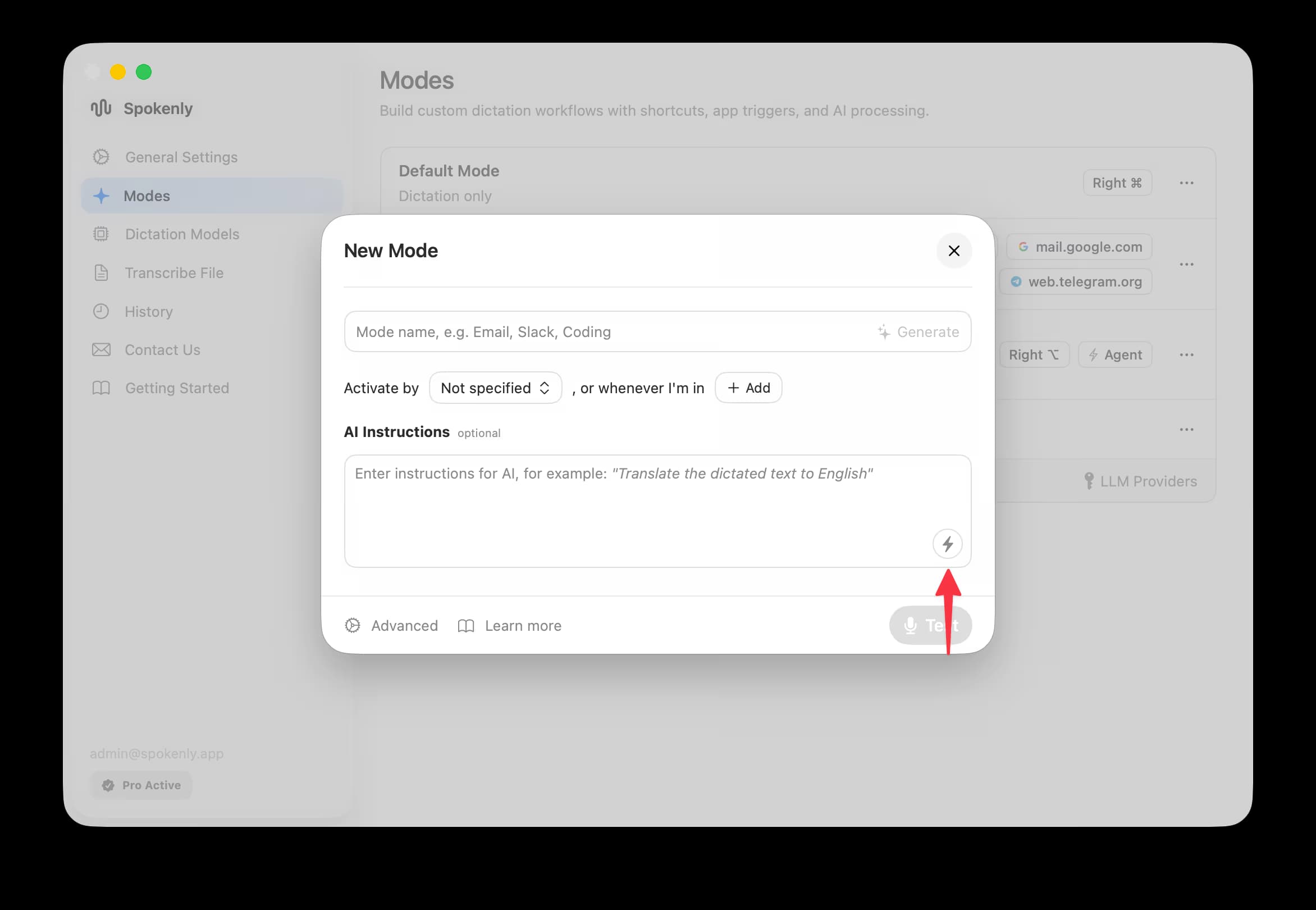
Open Agentic Actions
Create or edit a mode, then click the lightning bolt button shown above.
Turn on the actions you want
Toggle on each action this mode should run. Enable only what you need; fewer actions means faster, more predictable runs.
Save and test
Save the mode and use Test to confirm it runs the action on your dictation.
Notes
- Actions run after transcription, so pair them with clear, focused AI Instructions. A Google Search mode, for example, works best when the instructions reduce your speech to a tight query first.
- Shell Command and broad system access are limited in the App Store build's sandbox. Sideload builds run with your full login shell. For scripted text transforms, see Bash Scripts.
- Leave actions off for plain dictation modes to keep them fast.