
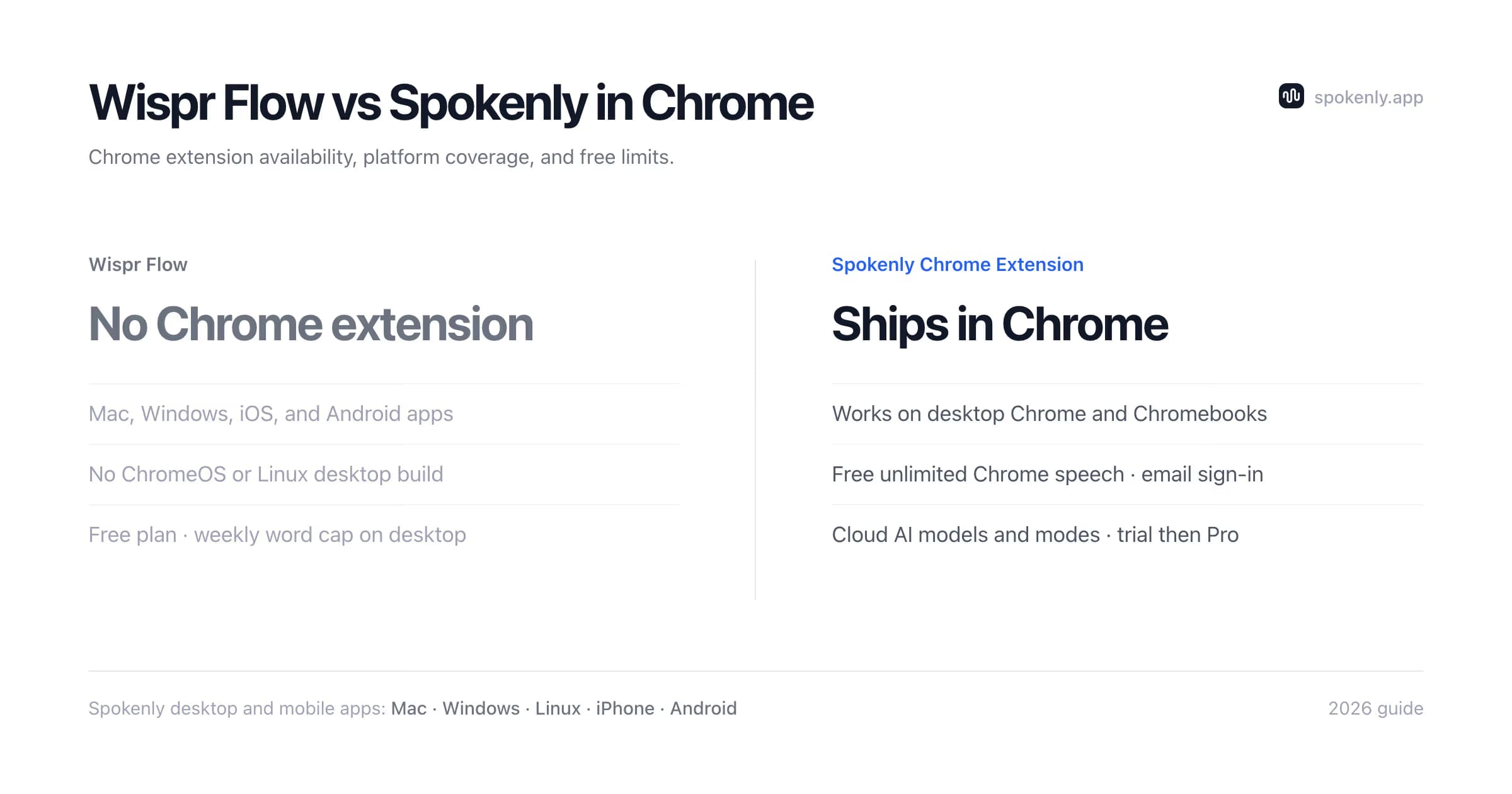
How Wispr Flow Works in Chrome
On macOS (12 or later) and Windows 10 or 11, the Wispr Flow desktop app types into Google Chrome with no browser add-on. Click into any text field in Chrome, hold the hotkey, and speak. Wispr Flow sends the audio to its cloud servers, removes filler words, and pastes clean text at your cursor.
For details on accuracy, plans, and privacy settings in the desktop app, see the Wispr Flow review.
When a Desktop App Is Not Enough
Chromebooks (ChromeOS)
Wispr Flow has no ChromeOS build. Chromebooks cannot install its macOS or Windows installers.
Linux desktops
Wispr Flow has no Linux version.
Managed work and school laptops
Some corporate and school computers block local desktop installers while allowing approved Chrome Web Store extensions.
Browser-only workflows
If you do not want a separate desktop app running at startup and only dictate inside browser tabs, a Chrome extension keeps setup inside Chrome.
Unofficial Lookalikes in the Web Store
Searching for "Wispr Flow" in Google or the Chrome Web Store surfaces third-party add-ons whose names include "Whisper" (OpenAI's speech model) or "Flow". None of them are published by Wispr.
Before installing any speech extension, check three fields on its Chrome Web Store page: the verified developer domain, the privacy disclosure (whether audio or text is retained or sold), and the last update date. Dictation extensions request microphone access and host permissions across sites you visit, so choose a publisher that still updates its extension.
Chrome Extensions That Ship Today
Browser speech and cloud AI modes
1. Spokenly Chrome Extension
The Spokenly Chrome extension dictates into Gmail, ChatGPT, Notion, Google Docs, forms, and nested frames on desktop Chrome and Chromebooks (version 2.1.0, updated November 24, 2026). Use free, unlimited Chrome Speech Recognition, or pick a cloud model such as ElevenLabs Scribe, OpenAI GPT Transcribe, Deepgram Nova-3 (plus Nova-3 Medical), Soniox, Gemini 3.5 Transcribe, or NVIDIA Parakeet V3.
Custom AI modes rewrite dictated text with your own instructions, turn on automatically on chosen websites (like mail.google.com) or via trigger words, and switch mid-recording from the overlay mode picker (or with Alt+1 through Alt+9 on Mac and Windows). Trade-offs: the extension needs an internet connection, new installs ask for email sign-in during setup, and cloud models plus AI modes need Spokenly Pro after a free trial.
2. Voice In
Voice In focuses on voice typing across browser-based email, documents, and forms. Its free tier covers standard text fields, while Voice In Plus adds paid capabilities such as custom voice commands, text replacements, and broader editor support.
3. Speech Recognition Anywhere
Speech Recognition Anywhere pairs browser dictation with voice commands for clicking links, scrolling, and controlling tabs. It suits hands-free browsing when navigation commands matter alongside text input.
4. Built-In Google Options (No Extension Needed)
On a Chromebook, turn on ChromeOS dictation in Settings > Accessibility > Keyboard and text input, then press Search+D or Launcher+D. In Google Docs, use Tools > Voice typing.
For five browser extensions compared side by side, see Speech to Text Chrome Extensions.
Wispr Flow vs Spokenly in Chrome
Free tier
Wispr Flow: Free plan gives a 2,000-word weekly allowance on desktop (5,000-word maximum) and limited weekly dictation on iOS and Android, with automatic AI cleanup included.
Spokenly: Free, unlimited Chrome Speech Recognition in the extension (no AI cleanup); cloud models and AI modes include a free trial. Desktop and mobile apps add free unlimited on-device models and BYOK.
Pro price
Wispr Flow: $12/month billed yearly ($144/year), or $15 month-to-month.
Spokenly: $12/month billed yearly ($144/year), or $15 month-to-month.
AI cleanup and editing
Wispr Flow: Zero-setup automatic filler removal and formatting on all plans, plus Command Mode for voice editing on Pro.
Spokenly: Custom AI modes with per-site rules and trigger words (free trial, then Pro in Chrome; free with local cleanup or BYOK on desktop).
Desktop and mobile platforms
Wispr Flow: Mac, Windows, iOS, and Android (cloud-only, no offline mode).
Spokenly: Mac, Windows, Linux, iPhone, Android, plus Chrome extension (on-device Parakeet and Whisper on desktop, iPhone, and Android).
For the full desktop comparison, read Spokenly vs Wispr Flow or 9 Wispr Flow alternatives.
Setting Up Spokenly in Chrome
- 1Open Spokenly in the Chrome Web Store and click Add to Chrome.
- 2Complete setup by signing in with your email and the six-digit code, then grant Chrome microphone permission when prompted.
- 3Pin the Spokenly icon to Chrome's toolbar and choose a model in Dictation Models: ElevenLabs Scribe is the default (uses your free trial, then Pro), or pick Chrome Speech Recognition for free unlimited dictation.
- 4Click any text box on a website, press
Alt+X(Option+Xon Mac), speak, and press again to insert the text. PressEscto cancel.
Need system-wide dictation outside Chrome? Install the desktop app from spokenly.app/download. For email workflows, see Dictation for Gmail.
FAQ
Can I install the Wispr Flow Android app on a Chromebook?
Wispr Flow officially lists Mac, Windows, iOS, and Android, with no ChromeOS build. Even on Chromebooks that support Google Play apps, an Android dictation overlay runs inside the Android container rather than integrating reliably with native ChromeOS browser tabs. For ChromeOS tabs, ChromeOS built-in dictation or a Chrome Web Store extension is more dependable.
What if my work or school Chrome browser blocks extension installs?
Many managed browsers use an extension allowlist and flag add-ons that request access across websites. Ask your IT administrator to allow an extension by its Chrome Web Store ID (for Spokenly, piioidjoaoeddcllookbidcghjmjdcha), or fall back to built-in OS dictation or Google Docs voice typing.
Can I use Chrome dictation extensions in Edge, Brave, or Arc?
Chrome Web Store extensions install in Chromium browsers such as Edge, Brave, and Arc, though shortcut defaults can differ. On Mac, Option+X can type the ≈ symbol if another shortcut intercepts it; open chrome://extensions/shortcuts (or your browser's extension shortcuts page) to set a conflict-free key.
Does the Spokenly Chrome extension work offline?
No. Both Chrome Speech Recognition and Spokenly's cloud models need an internet connection. Offline on-device Parakeet and Whisper models run in the Spokenly desktop apps, iPhone app, and Android app.
Ready to try Spokenly?
Free to use with local models. No account required.
Download SpokenlyRead next

